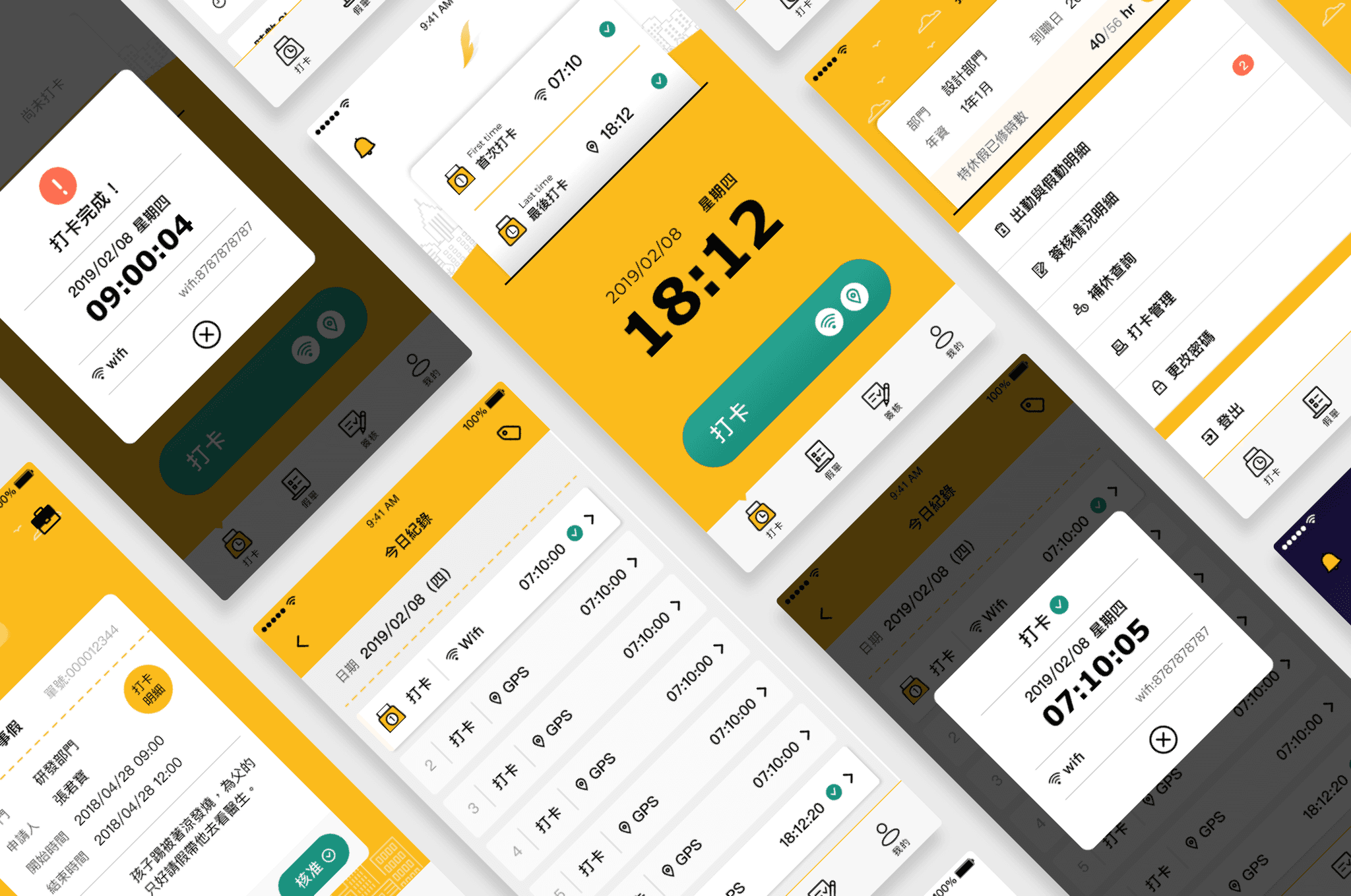
Project Name
Apr 2019 - Oct 2019
Flygo Attendance App 0–1
Role
UX Designer
Team
UI Designer ×1, UX Designer ×1, Engineers ×4, PM ×1
Responsibilities
User flow design, usability testing, user interviews, design guidelines
Goal
Build the core clock-in, leave request, and manager approval flows from 0 to 1, while organizing employee profile settings for future expansion.

Challenge
Build the core interfaces and workflows from 0 to 1 within a limited timeline, while refining the product experience through weekly collaboration and testing with engineers.
Outcome
One year after launch, over 8,000 companies had adopted the product, driving continued revenue growth and building a stable user base.
Design Process

01
Product Strategy Definition
Product Background
Since its founding, the company had lacked an attendance system that fit its daily needs. During an internal meeting, a product manager proposed building a clock-in tool. As discussions continued, the team saw potential beyond internal use and decided to develop it into its own product.
Reasons for Building an Attendance System
The company lacked an attendance solution that fit its actual needs and supported daily management.
The team had the design and engineering capability to build a product from 0 to 1.
An opportunity to turn an internal need into a commercial product.
Business Model
The initial target users were startups and small and medium-sized businesses with 50 employees or fewer. These teams often lacked dedicated HR tools and structured attendance processes. To fit their scale and limited budgets, the product was offered for free to lower adoption barriers. The team first focused on adoption and active usage, using behavioral data and user needs to guide future monetization.

02
Requirement Discovery
Competitive Analysis
During early product planning, I reviewed and deconstructed several digital attendance products, comparing their workflows, clock-in methods, and feature modules. I found that clock-in, leave requests, and manager approval were the core features shared by most products. Based on this comparison and our internal needs, we defined these three features as the design scope for the first version.
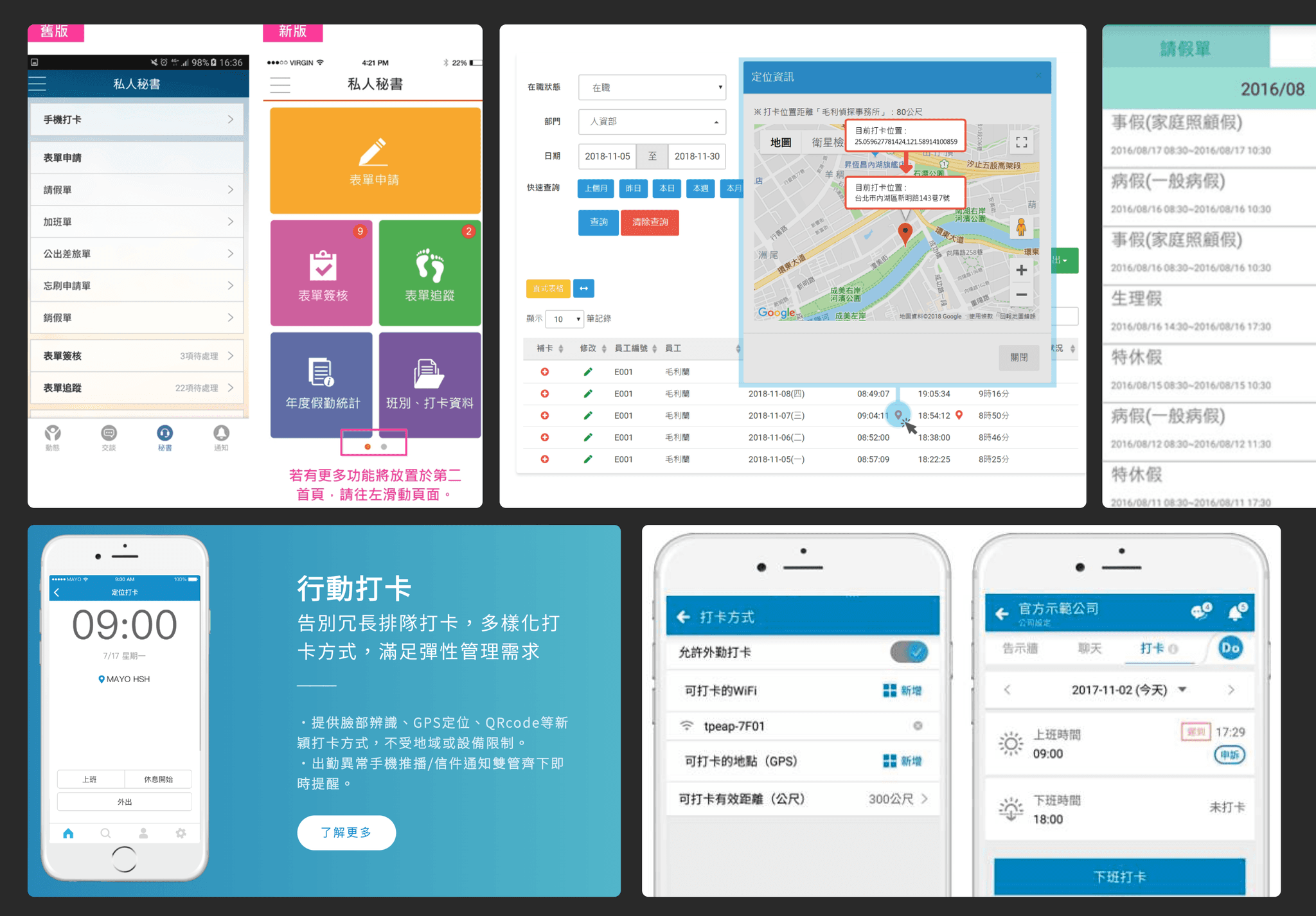
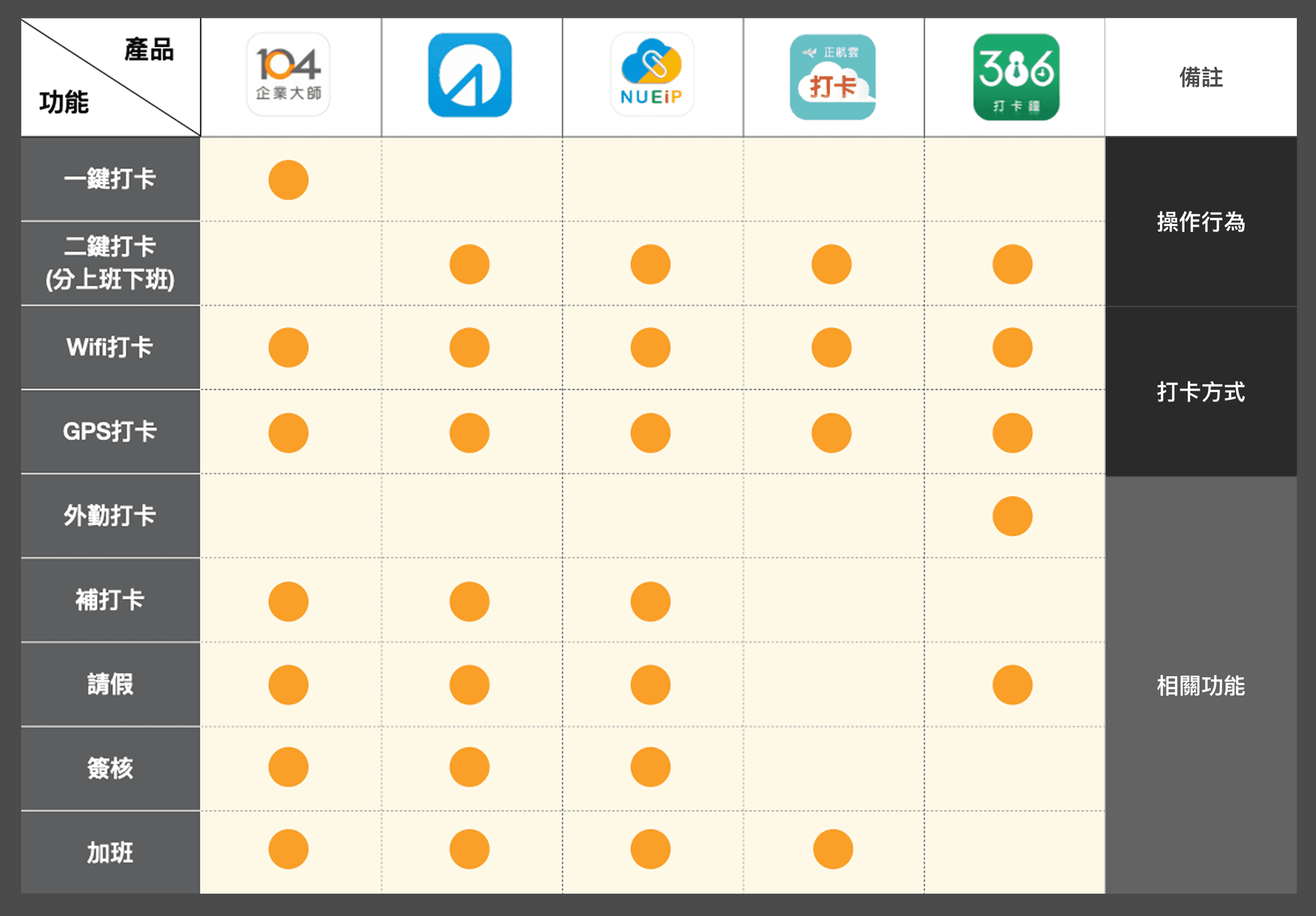
Deconstructed clock-in flows and feature modules across multiple attendance products
Feature Definition
After confirming the core features, we broke down the information required for leave requests, business trips, missed clock-ins, and overtime forms. We also organized the related features within employee profiles and established an initial information architecture as the basis for subsequent flow and interface design.

03
Interface & Flow Design


Clock-in Flow
Step1
Context & Initial Direction
In the initial concept, I focused on clearly presenting the “Clock In” and “Clock Out” labels to guide users through the process. After discussing the idea with the team, we revisited this assumption and found that users first needed to confirm whether they were within the allowed location and time range. I therefore reorganized the information hierarchy and simplified the interface. The first version was narrowed down to two main actions, “Record GPS” and “Clock In,” which became the basis for subsequent usability testing.
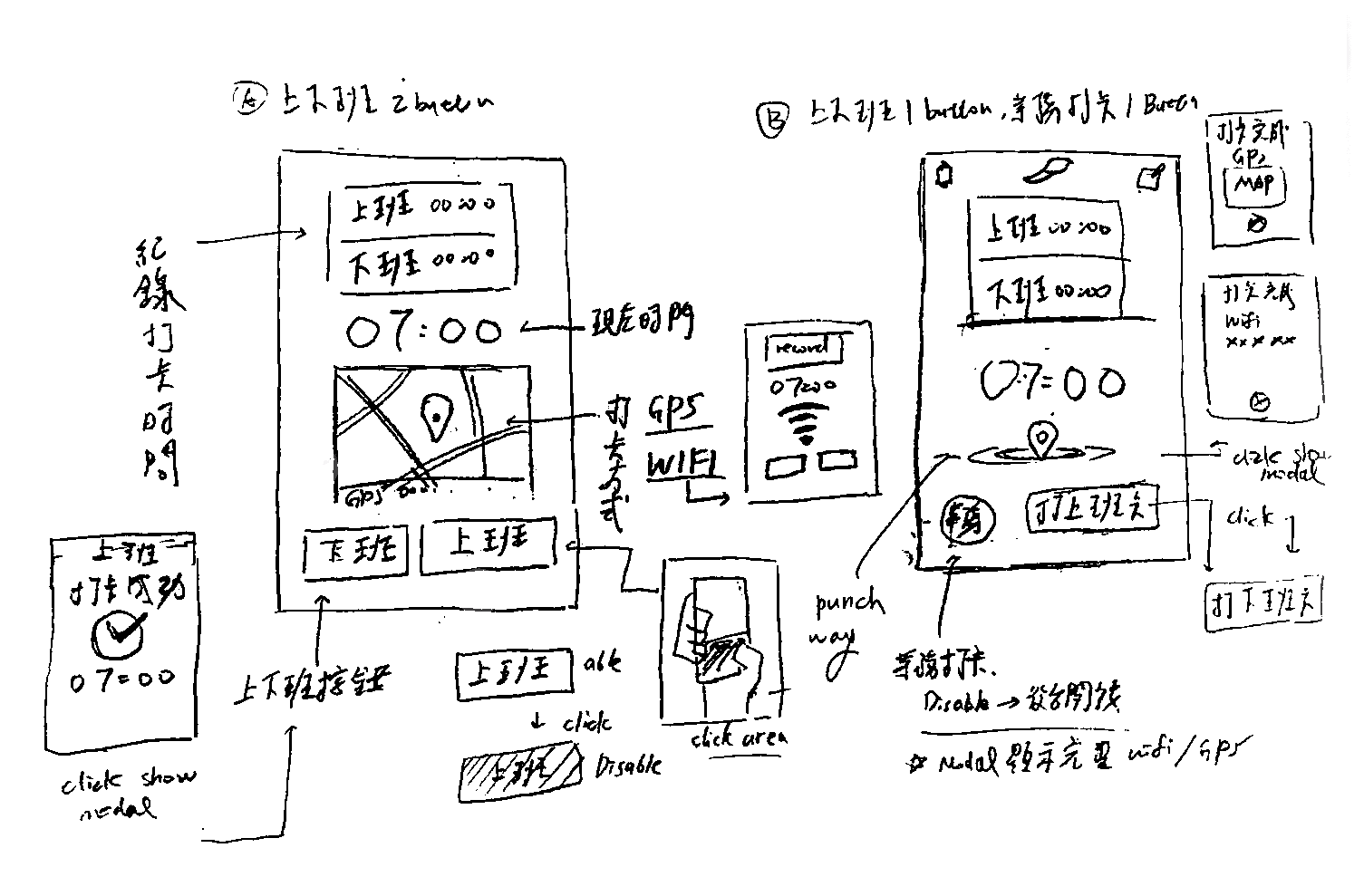
To support field-based clock-ins, the initial proposals used a two-button layout.
Clock-in Design Proposals

Step2
Clock-in Usability Testing
The first internal test showed that participants struggled to understand the difference between “Record GPS” and “Clock In.” They also did not immediately associate GPS recording with business trips or fieldwork. We therefore removed the “Record GPS” button and retained a one-tap clock-in flow, reducing the amount of interpretation and decision-making required before clocking in.

Test Results
Step3
One Tap Clock-in
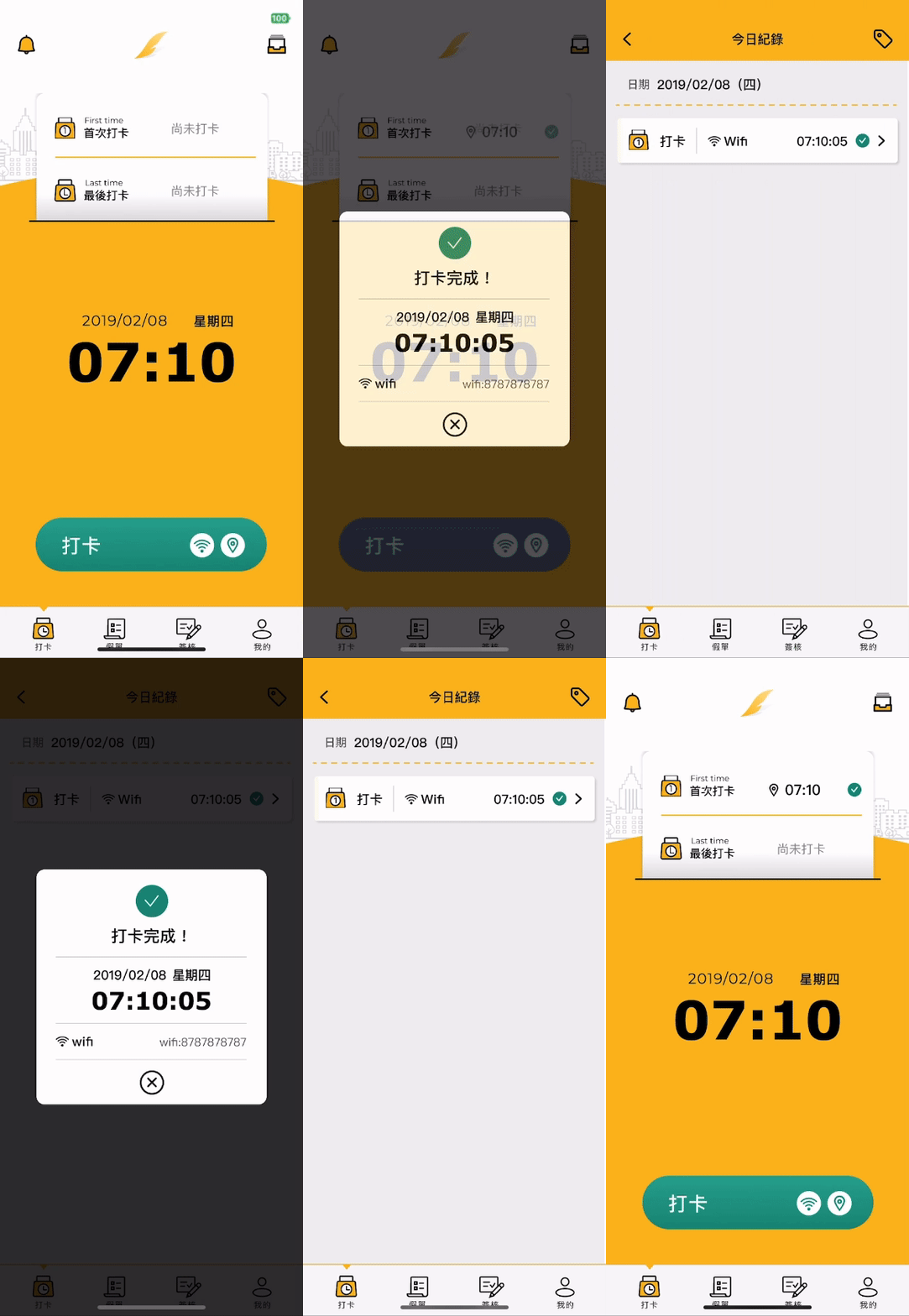
Follow-up user interviews and app feedback showed that most users responded positively to the overall clock-in experience. The one-tap interaction was easy to understand, and users could distinguish between their first and last clock-ins. Users could also clock in multiple times throughout the day, recording different work periods and locations. This provided more flexibility than traditional attendance systems that only recorded the start and end of the workday.


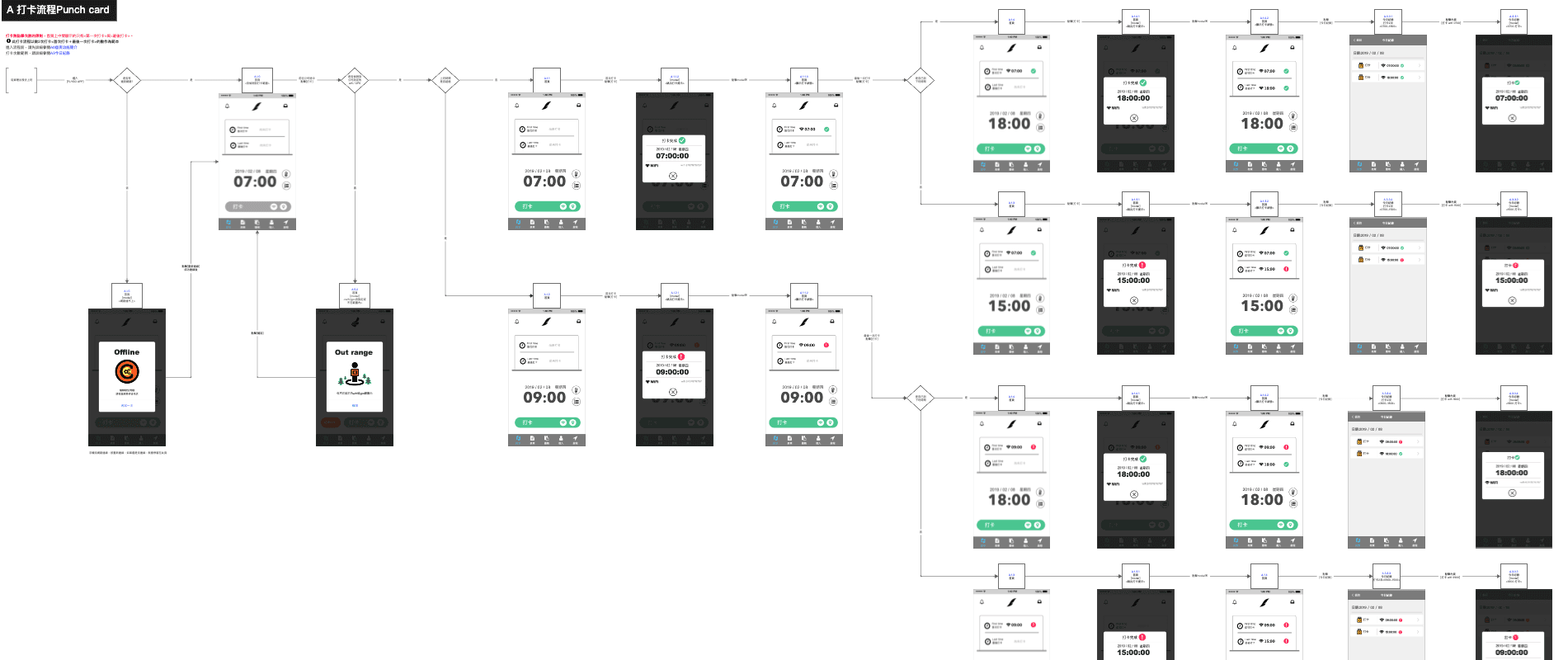
Real work scenarios are often more complex than a normal clock-in and clock-out routine. Employees may clock in incorrectly, arrive late, forget to submit a missed clock-in request, or need to leave early. In addition to the core flow, we mapped these edge cases and designed a clear path for each situation. This ensured that the system remained usable not only when everything went as expected, but also when exceptions occurred.

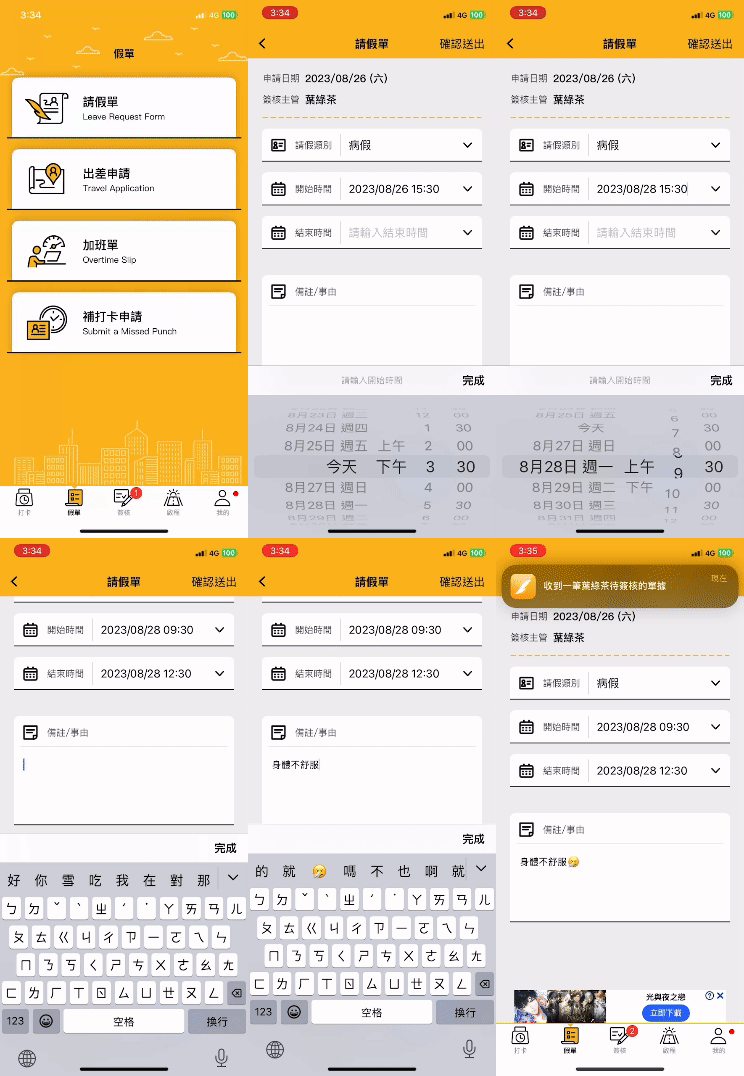
Form Requests
We combined leave, business trip, overtime, and missed clock-in requests into a single entry point. Users could submit a request after entering the start and end times and other required information. The request status was also displayed in the daily attendance record, making it easier to track progress and review previous requests.


Looking Back, I See Two Areas for Improvement:
CTA placement optimization: Place the submit button at the bottom of the form so the action follows the top-to-bottom completion flow.
Quick Input for Common Reasons: Provide commonly used leave reasons to reduce repeated typing.
Manager Approval Flow
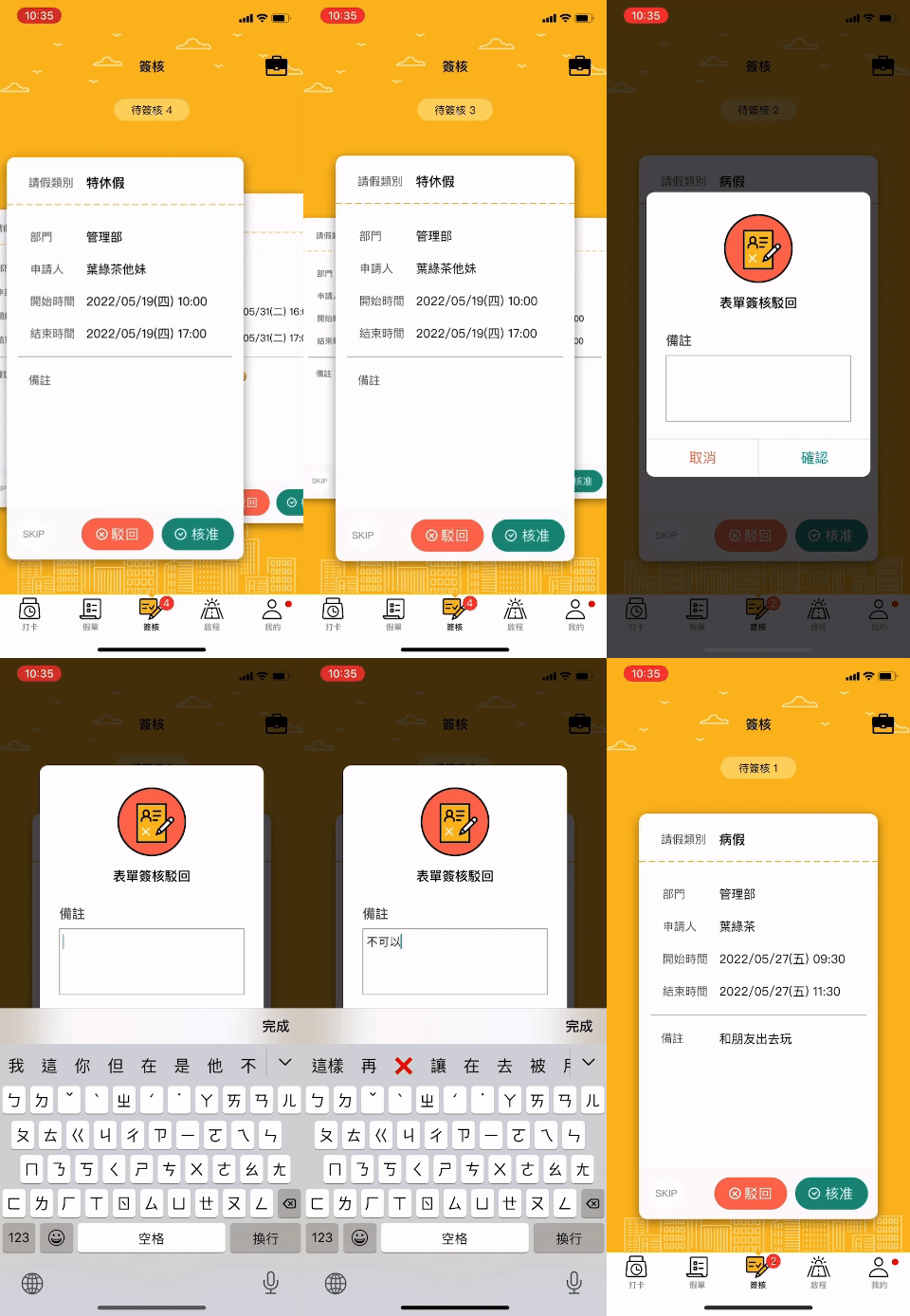
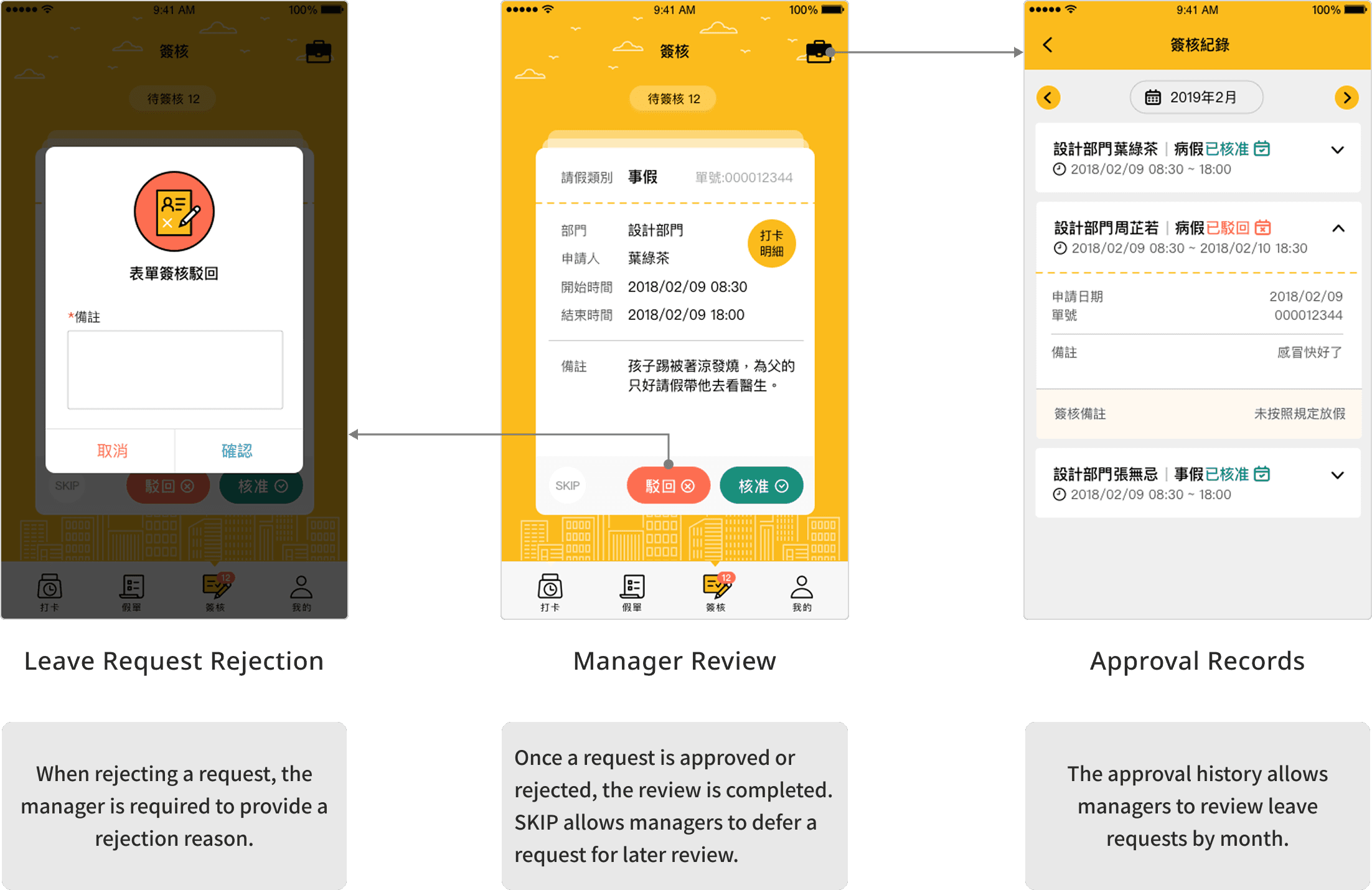
We initially designed the approval feature as a standard pending-request list. However, managers might need to process several requests in succession. I therefore reorganized the information and interactions into individual cards, with options to approve, reject, or skip each request. This reduced the need to move repeatedly between the list and detail pages.

Design Concept Ideation!
Approval History
Brand and Component Guidelines
Design Concept
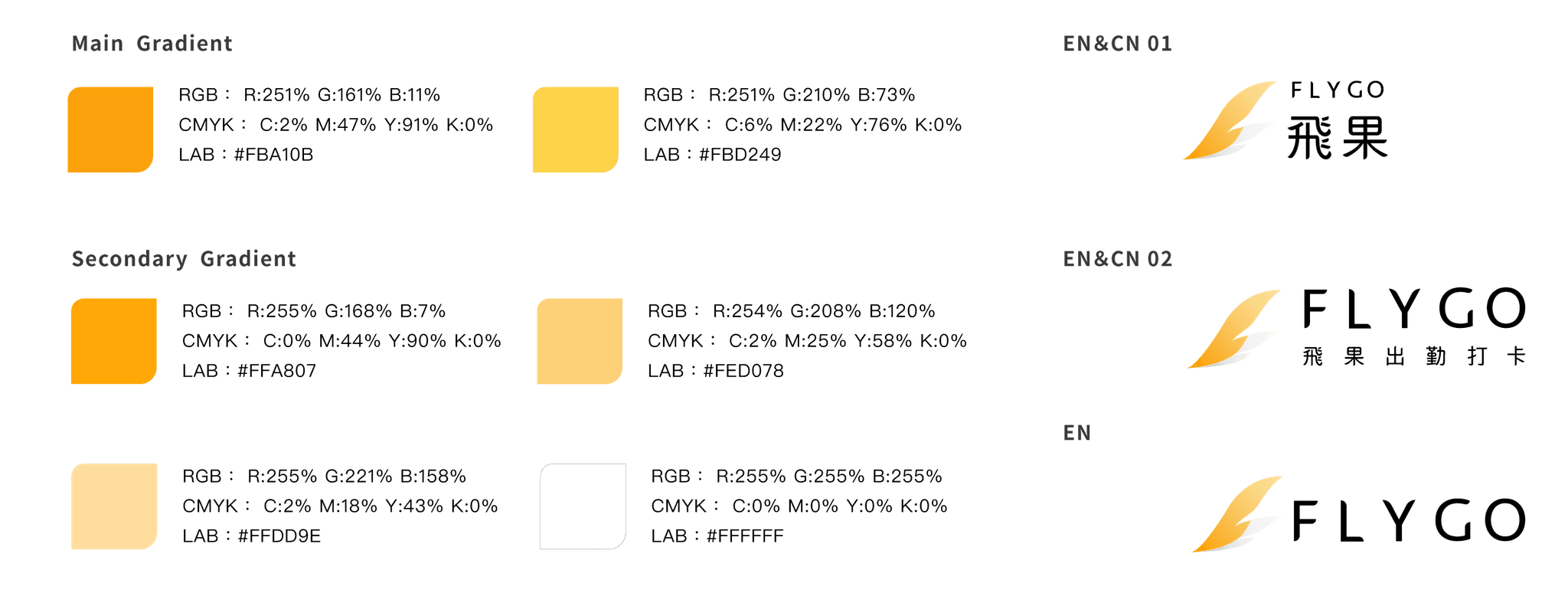
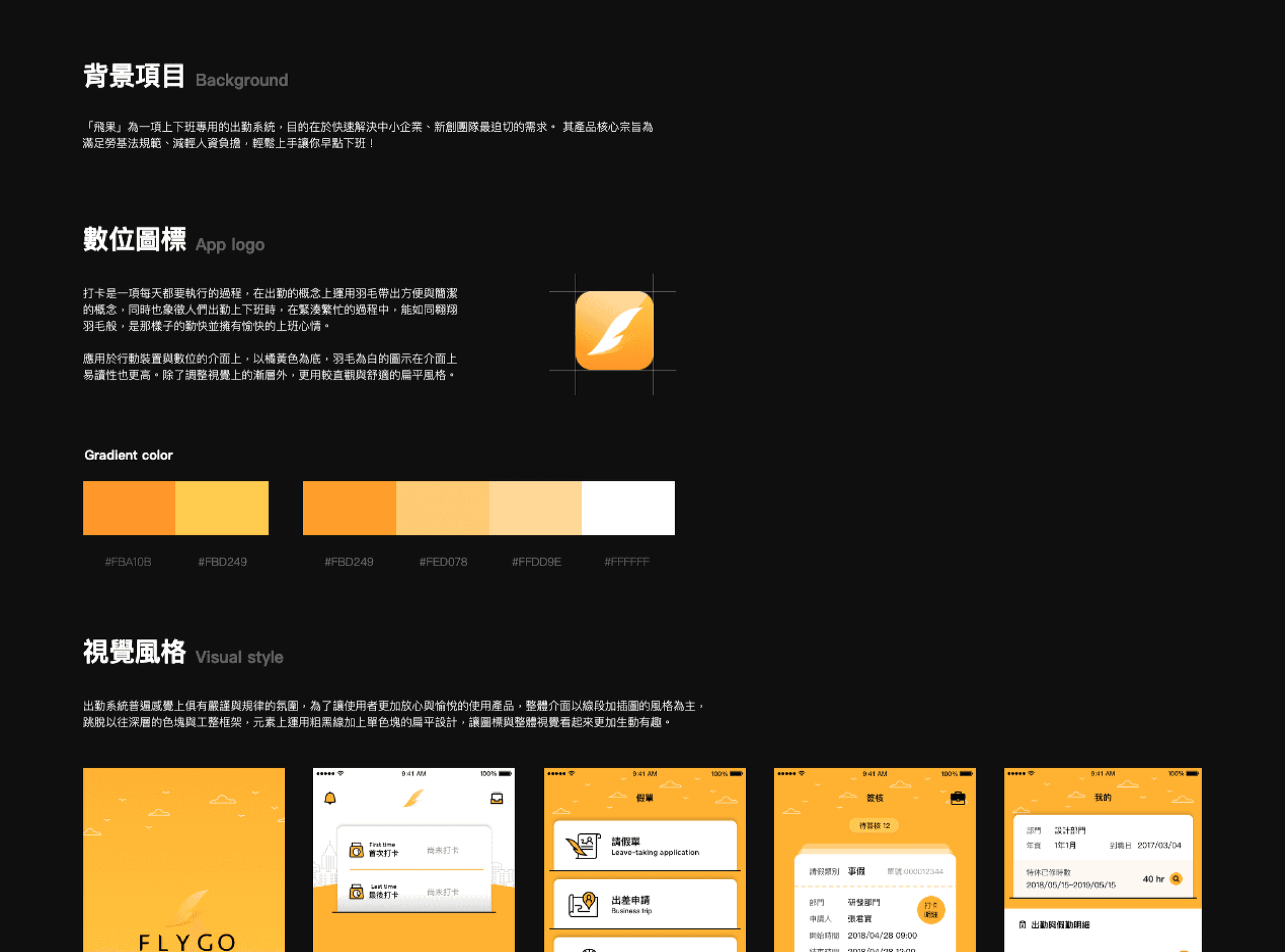
Clocking in is a repetitive daily action, so I used a feather as the core visual metaphor to convey a light, simple, and low-effort experience. Its flowing shape was also extended across the brand and interface design.
Color Palette
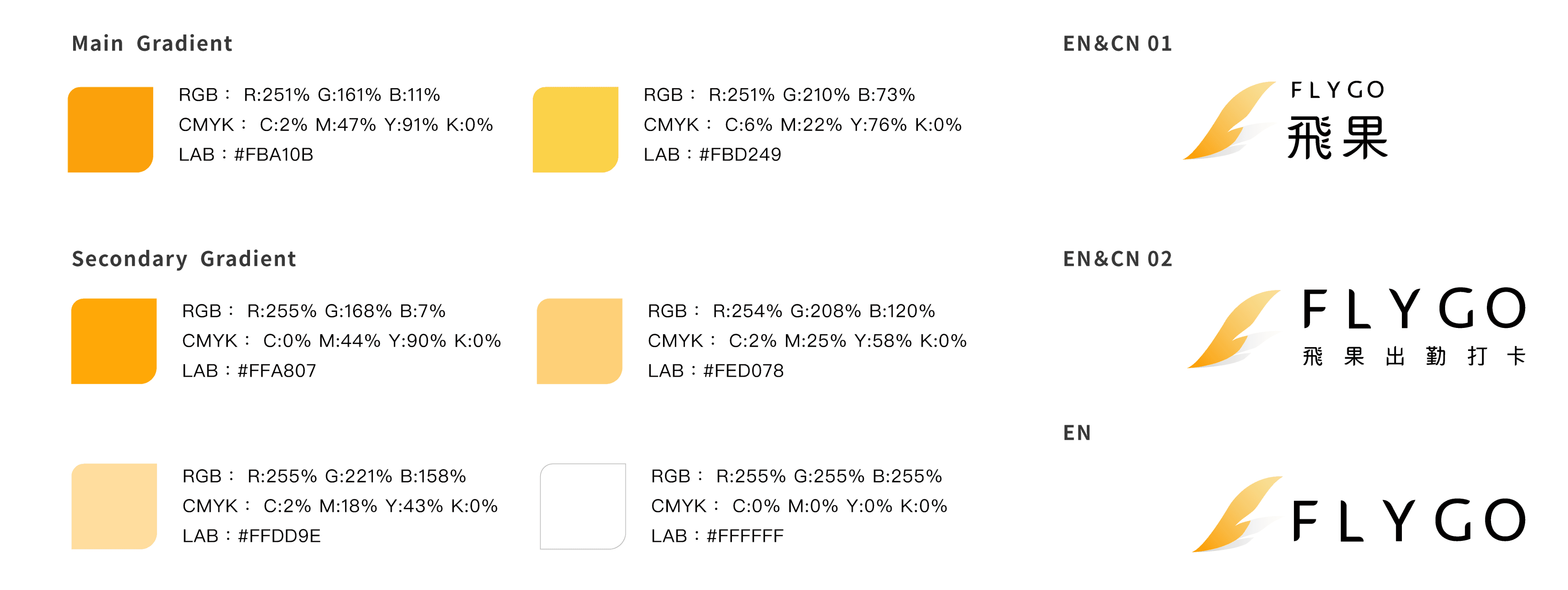
A bright orange-yellow was selected as the primary brand color to represent freshness and energy. It also extended the imagery of a feather in flight, creating a positive, warm, and energetic brand tone
Design Guideline Consolidation
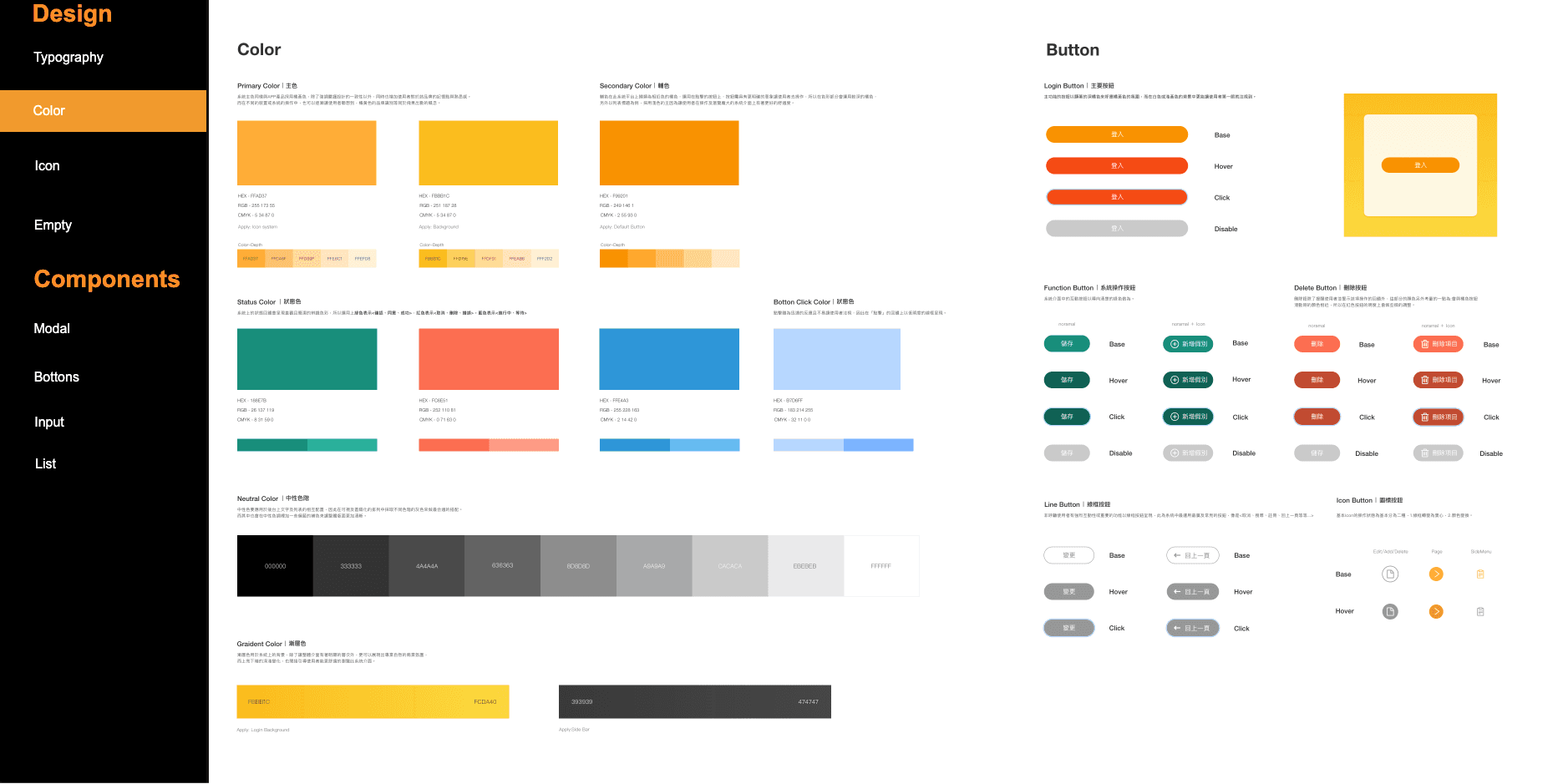
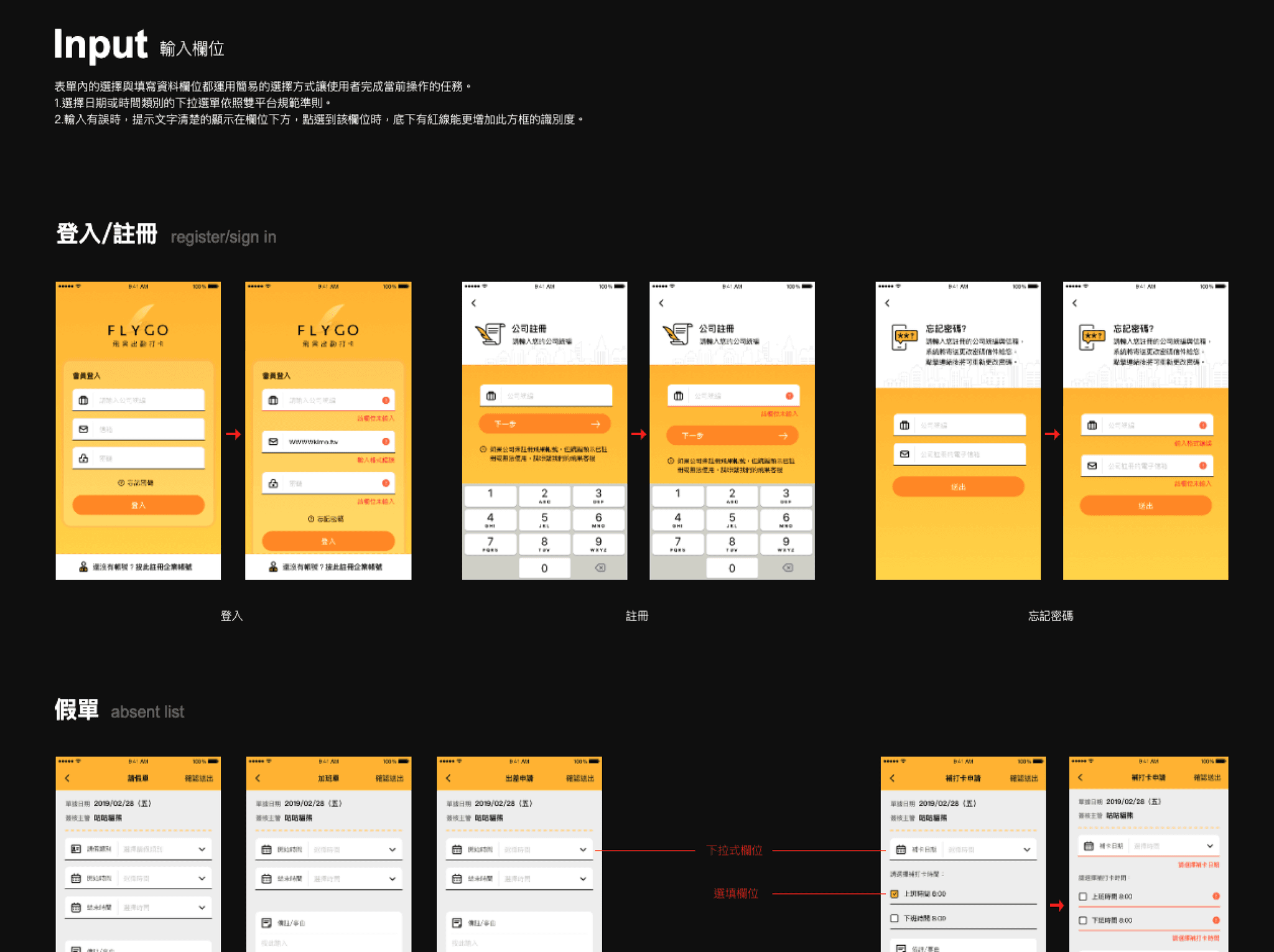
Due to the team’s division of responsibilities, the first version of the UI was designed by another designer and released early. I later took over and organized the colors, typography, component styles, and interface details. I also completed the design guidelines, giving the engineering team a consistent reference for future updates and feature iterations.
04
Post-Launch Iteration
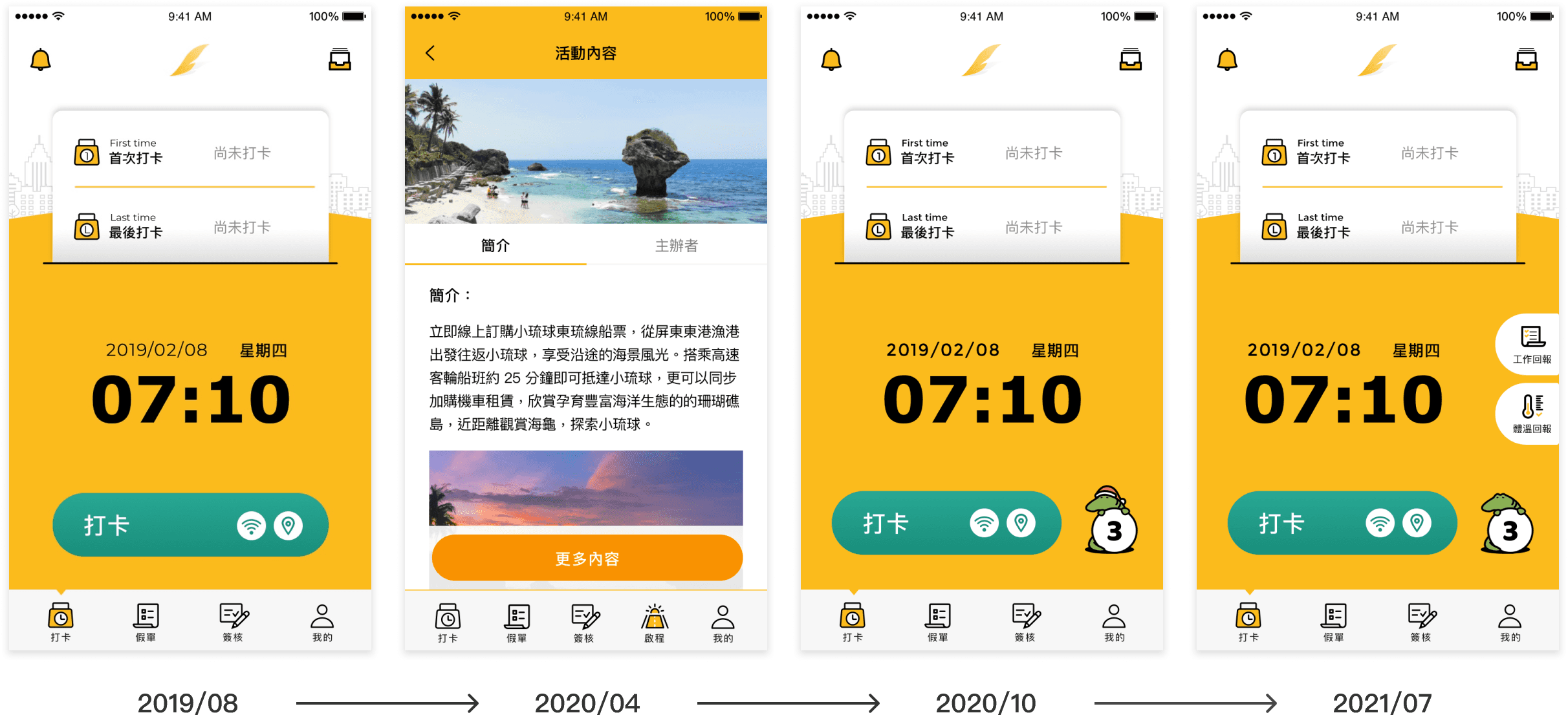
After launch, the team continued to expand the product while increasing company adoption and active usage. New additions included the “Get Started” online learning content, a three-day ad-free campaign featuring the product mascot, and temperature and work reporting features introduced during the pandemic. As the free service attracted more companies, the team also began exploring monetization, with advanced features such as payroll calculation and flexible scheduling planned for paid plans.

Project Reflection and Conclusion
This project was a turning point in my growth as a designer. The PM and I disagreed over whether the clock-in flow should use one button or two. I initially supported the two-button approach, but internal testing showed that it confused users. Looking back, I learned that design decisions need more than intuition. They should be supported by user scenarios, behavior, and clear reasoning.
It was also my first time participating in the full development of an in-house product from 0 to 1. I contributed to product strategy, positioning, interface flows, user interviews, and design guideline consolidation. The experience also taught me how to work more effectively with engineers through requirement clarification, design handoff, and iteration.
I am grateful for the trust and freedom the PM gave me early in my career. This remains one of the most complete projects I have worked on, and a product launch I am still proud of.