Project Name
Role
UI Designer
Team
UI/UX Designer ×2、UI Designer ×4
Responsibilities
Project collaboration, Component design, UI Mockups, Engineering handoff
Project Background
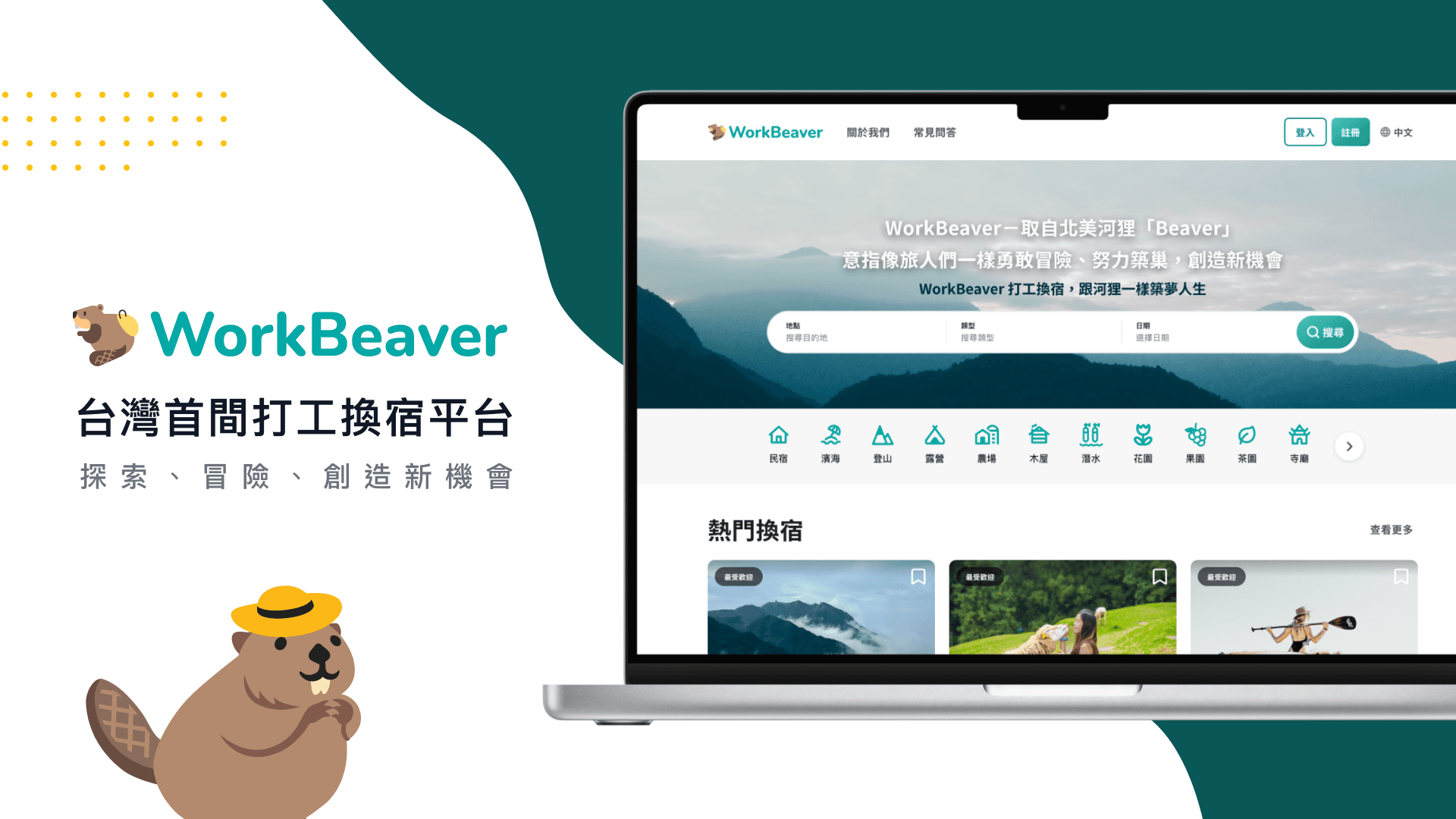
This project was created as part of a UI design practice program focused on accommodation-related products. Our team wanted to explore a direction that was closely connected to accommodation but less common in Taiwan, which led us to a platform built around work exchange experiences. At the time, most work exchange opportunities in Taiwan were scattered across social media posts and online communities rather than dedicated platforms. We used the project to explore what a more focused product built around this specific use case could look like.
Concept Overview
Creative Direction
Beavers are known for building their own habitats using the resources around them. We used the idea of “building your own way of life” to shape a brand that feels adventurous, energetic, and optimistic.
Design Concept
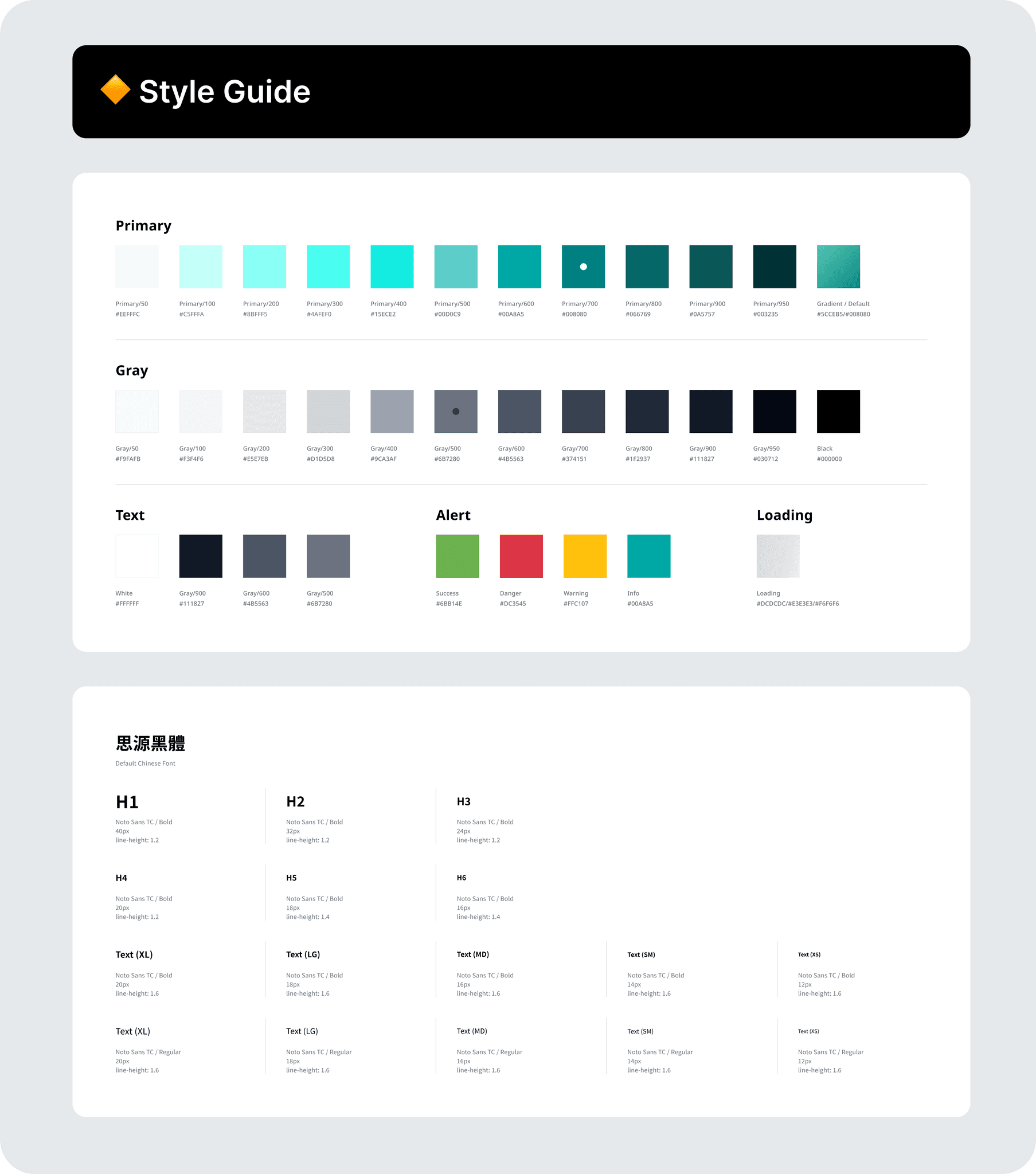
The visual concept centers on a beaver building its dam, reflecting how users can explore different ways of living through work exchange experiences. An eco-inspired mint green palette reinforces the connection between travel, nature, and everyday life.
Design Execution
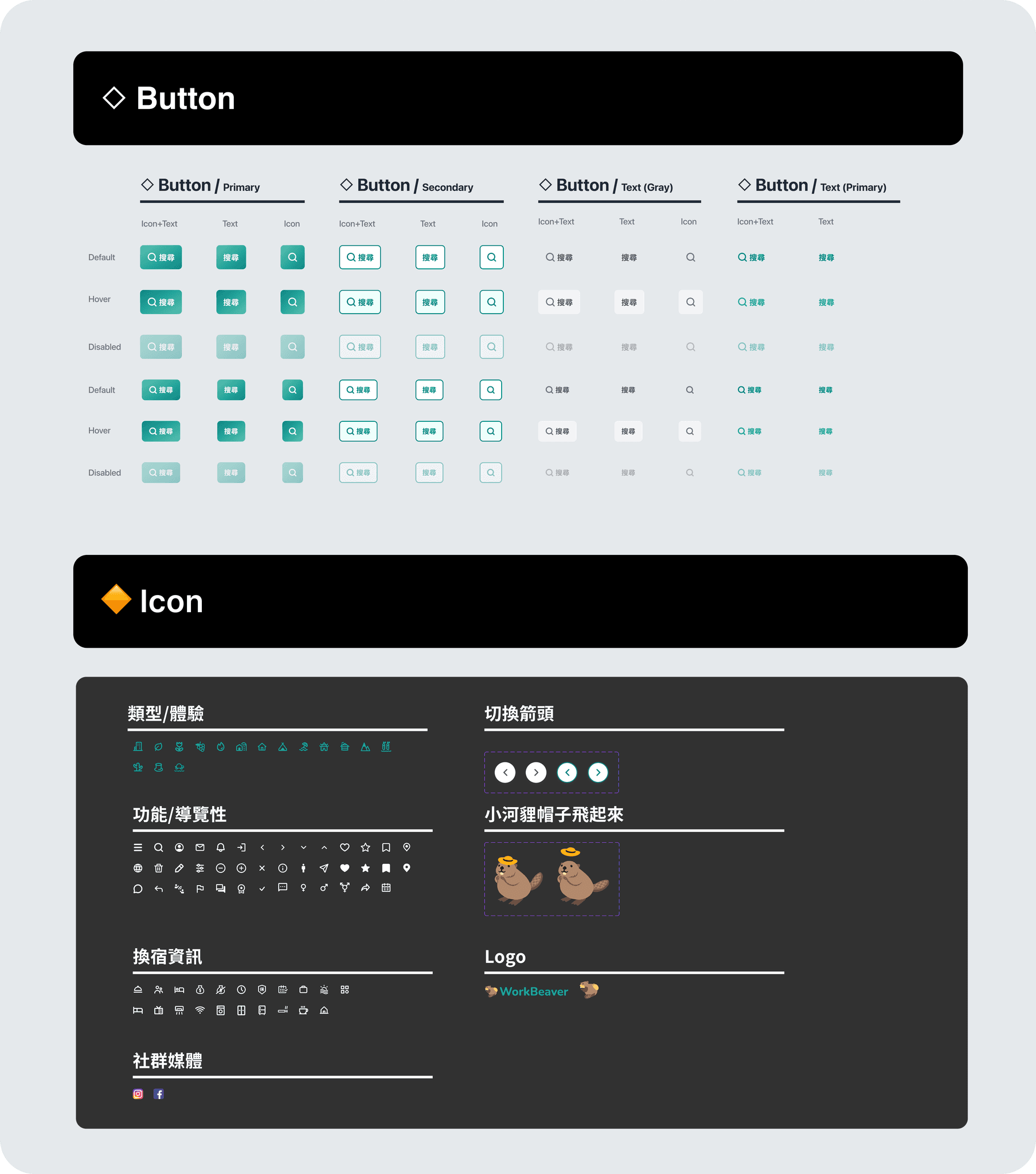
Another designer established the main visual direction and core components, while I extended the system with additional Components and states. We aligned frequently on component usage to maintain consistency across the team.
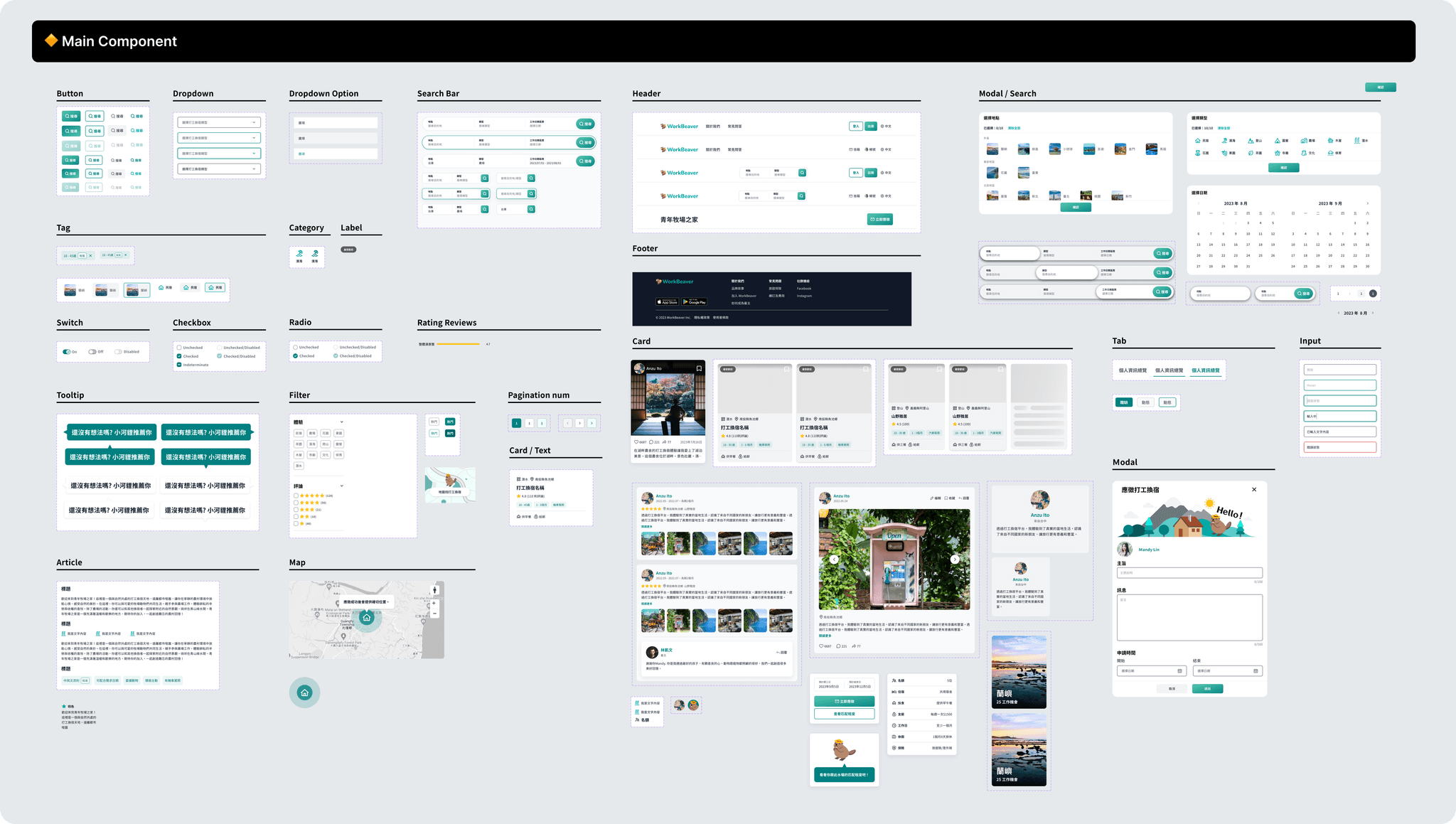
UI Mockup
Once the component library became more complete, producing UI Mockups became faster and more consistent. After each screen was completed, team members reviewed one another’s work to check spacing, typography, component usage, and overall visual direction. This helped maintain a cohesive experience across screens created by different designers.
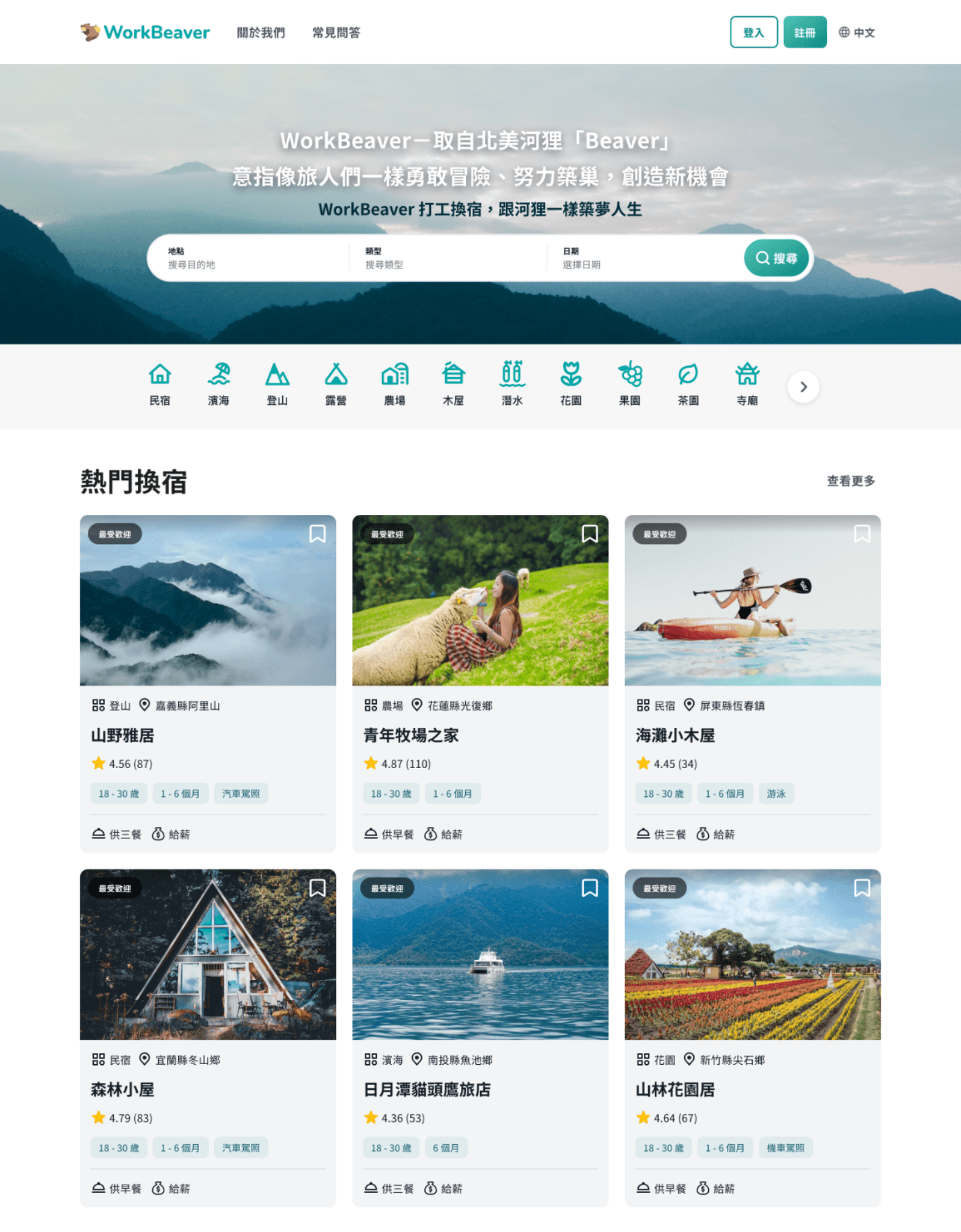
Work Exchange Homepage
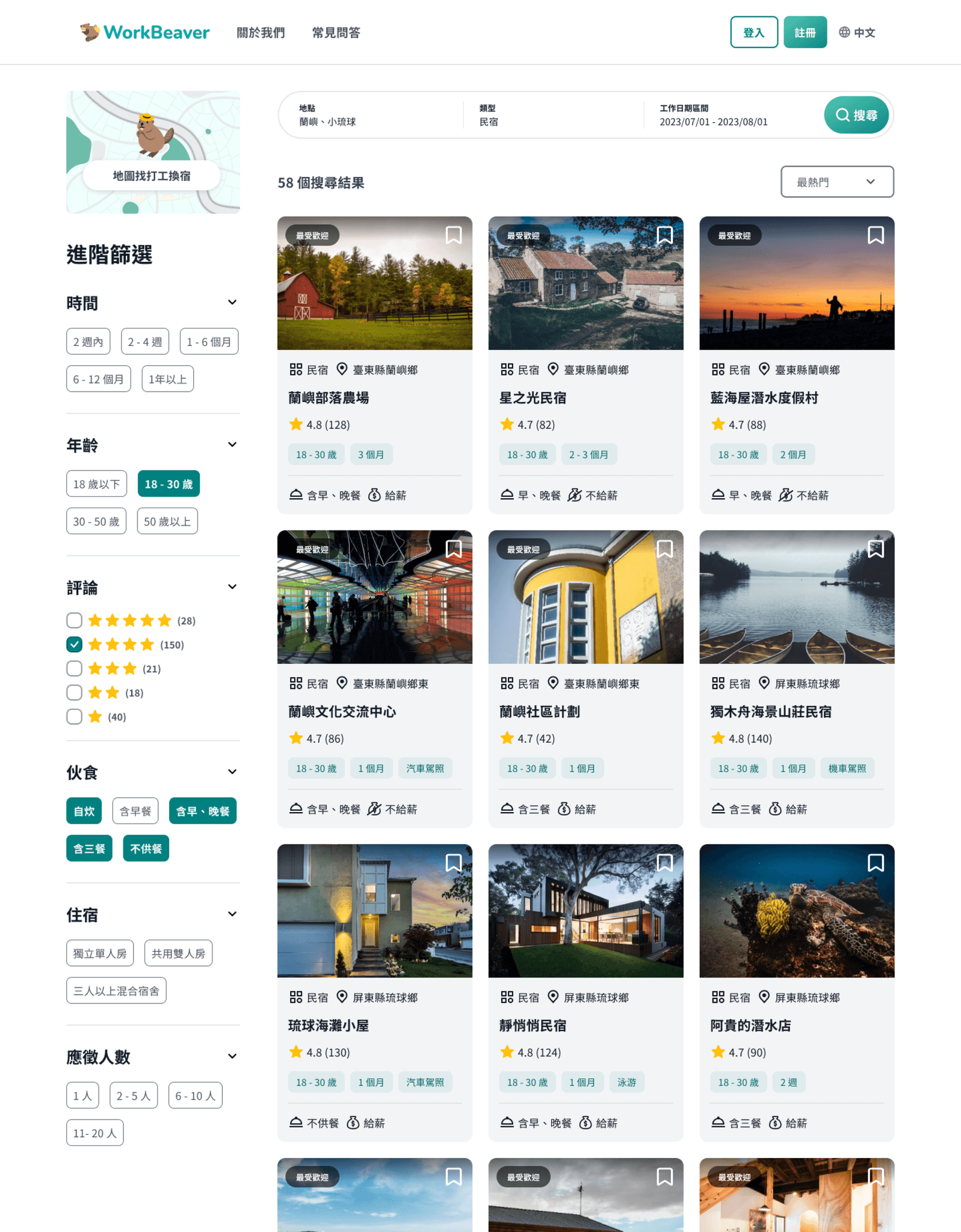
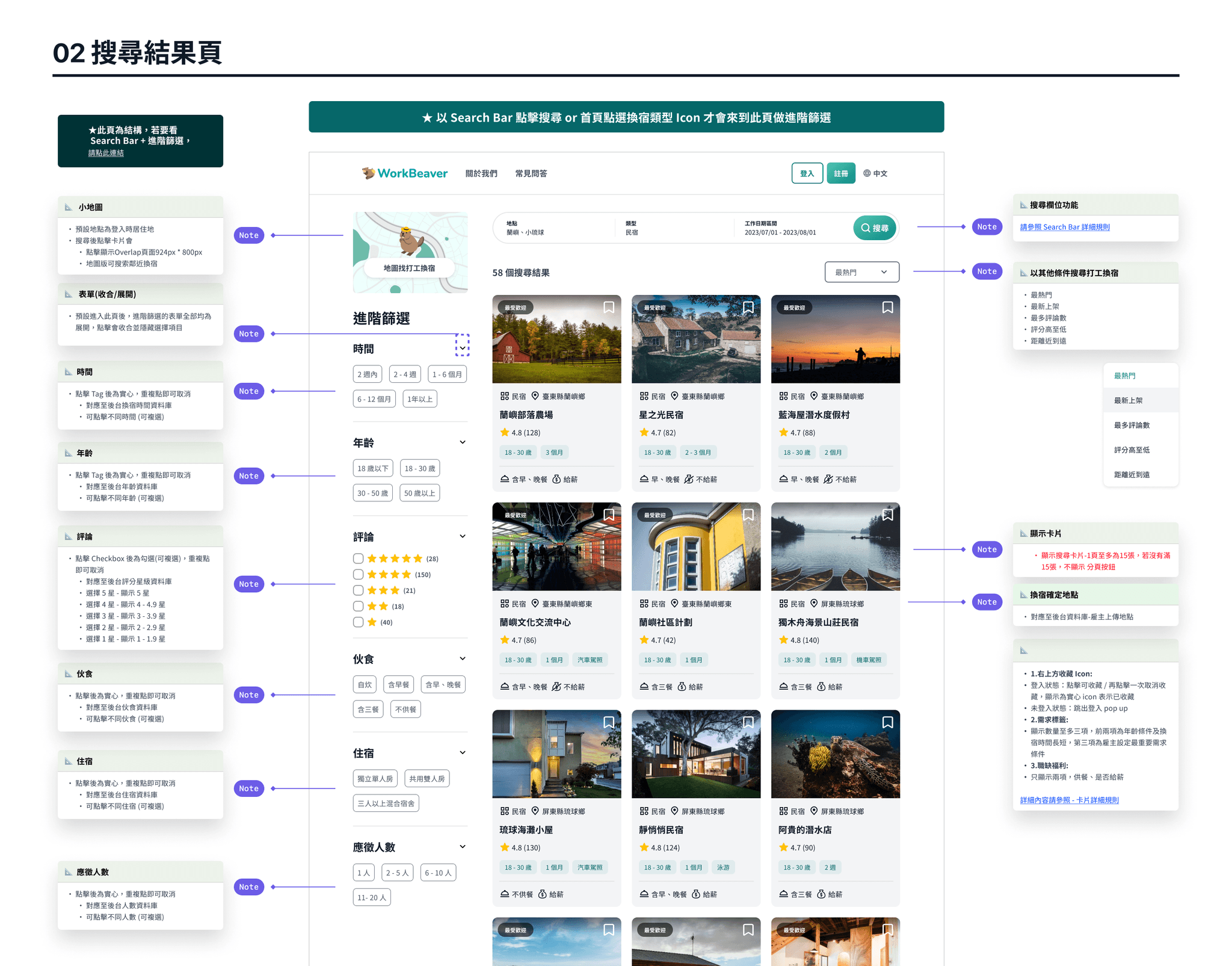
Advanced Filter
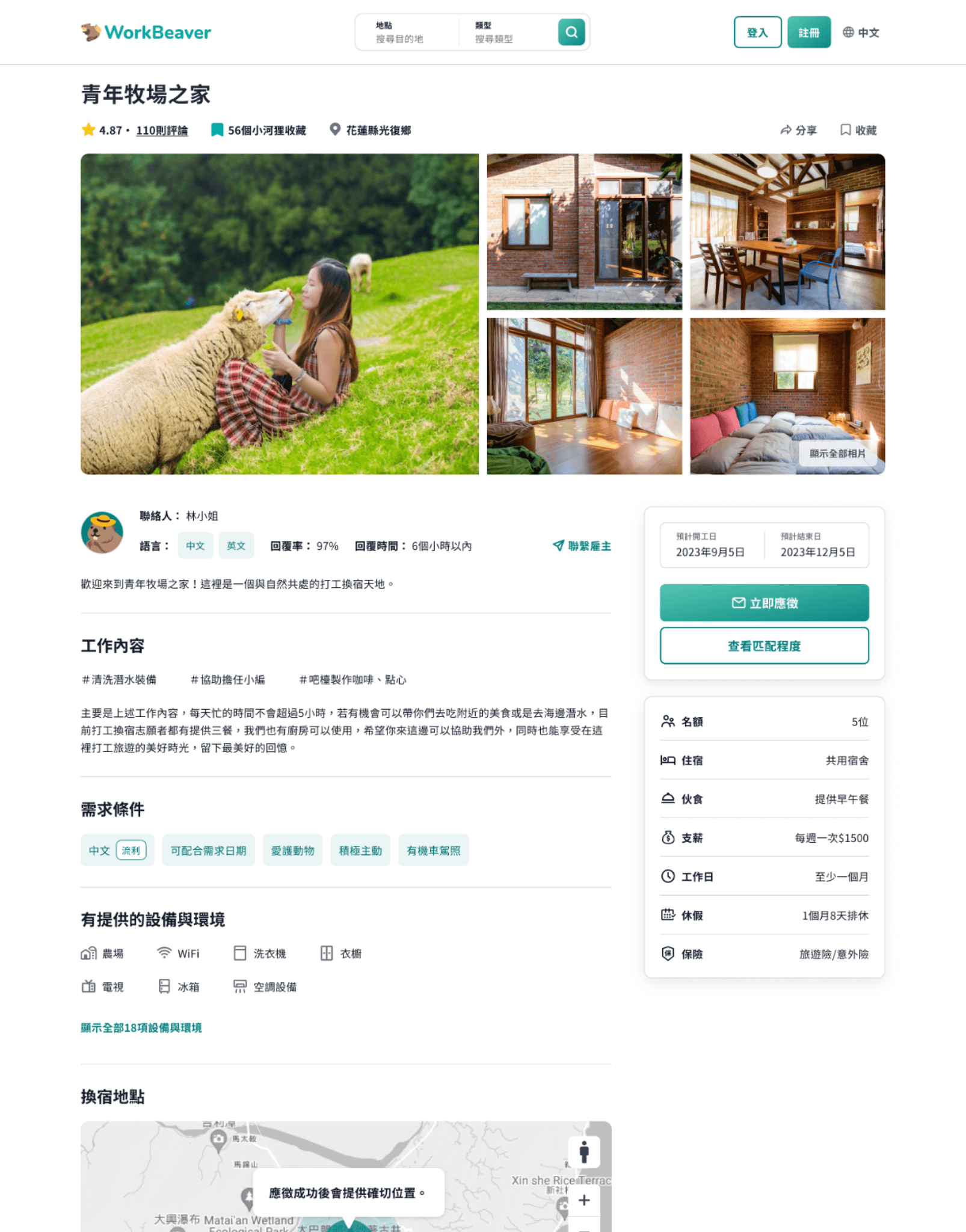
Work Exchange Detail
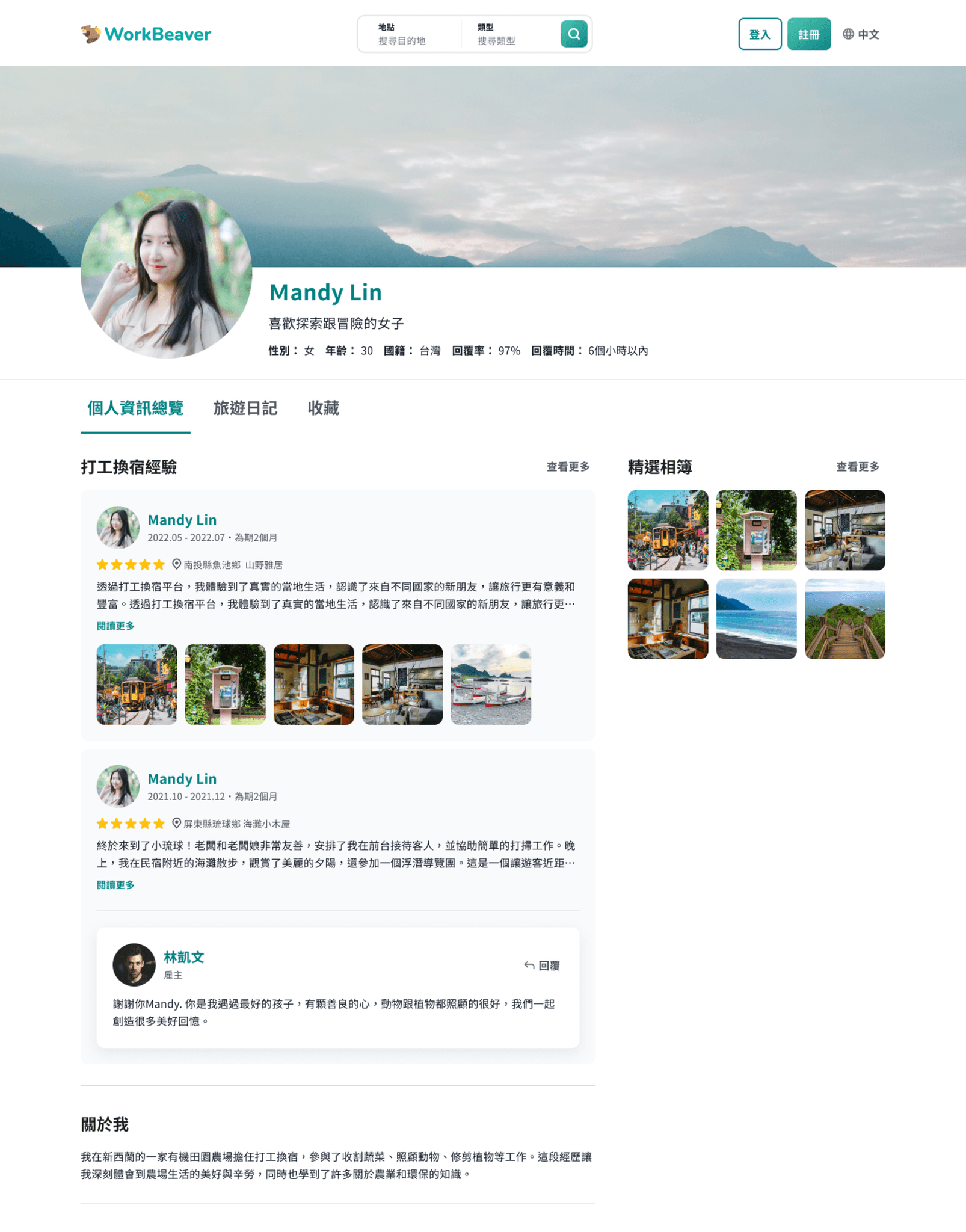
Member Profile
Engineering Handoff
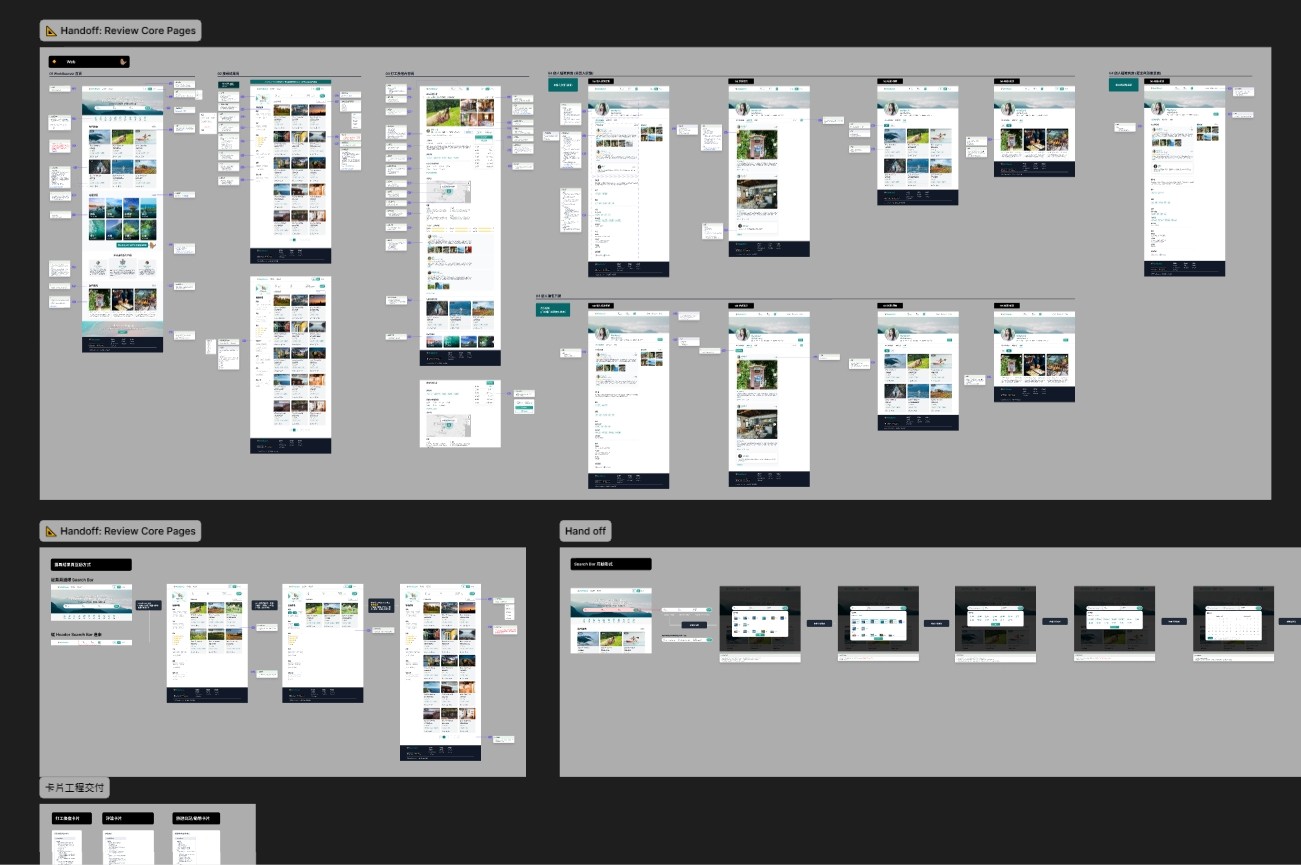
During the engineering handoff phase, I reviewed the annotated flows to make sure the feature descriptions reflected realistic development logic, drawing on my previous experience working on production products.
Design specifications were divided among team members based on the screens they owned. I also discussed interaction patterns and underlying system logic with the team, helping move the specifications beyond visual presentation and closer to what would be required in an actual product development process.
Prototype Showcase
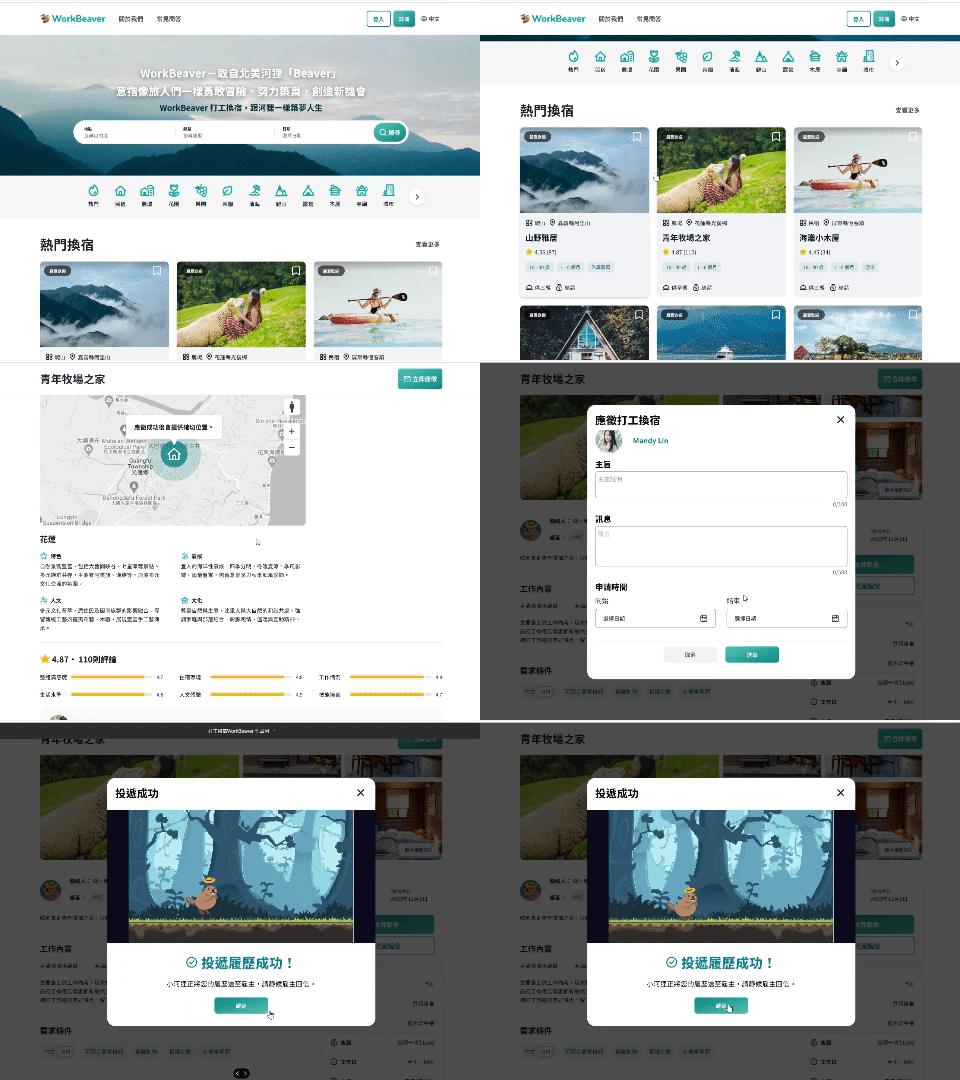
One of the most distinctive parts of the project was the Prototype and motion design. The interactions made the experience feel closer to a real product while also bringing elements of the WorkBeaver brand into the experience, extending the concept beyond static visuals.

Reflection & Learnings
This UI practice program gave me an opportunity to rebuild my hands-on UI design skills. My previous two years of work had focused more heavily on UX, so I joined the program specifically to spend more time working on visual and interface design again.
Along the way, I became more familiar with Figma and Prototype workflows while also using my previous product experience to support designers who were just starting out or transitioning into the field. At the same time, their approaches to visual design, motion, and ideation gave me plenty of new perspectives. Our team was ultimately recognized with an award among more than 200 participants. For me, the project was not only good UI practice, but also a genuinely enjoyable team experience.
Project Name
Department Store|Visual Website Proposal
Role
UI Designer
Team
UI Designer ×1、UX Designer ×1、PM ×2
Responsibilities
Visual research, Website UI proposal
Visual Direction
I began the project by researching websites across fashion, lifestyle, and contemporary art to identify visual elements that matched the brand positioning.
The brand aimed to communicate a refined artistic atmosphere and an elegant lifestyle.
To support this direction, I used generous white space and clear section divisions to create a calm and spacious layout. UI details such as lines, button corner radii, and other interface elements were intentionally kept sharp and minimal. By reducing unnecessary decoration, the overall experience remained modern, refined, and aligned with the brand’s artistic identity.
The company name has been anonymized due to a confidentiality agreement.
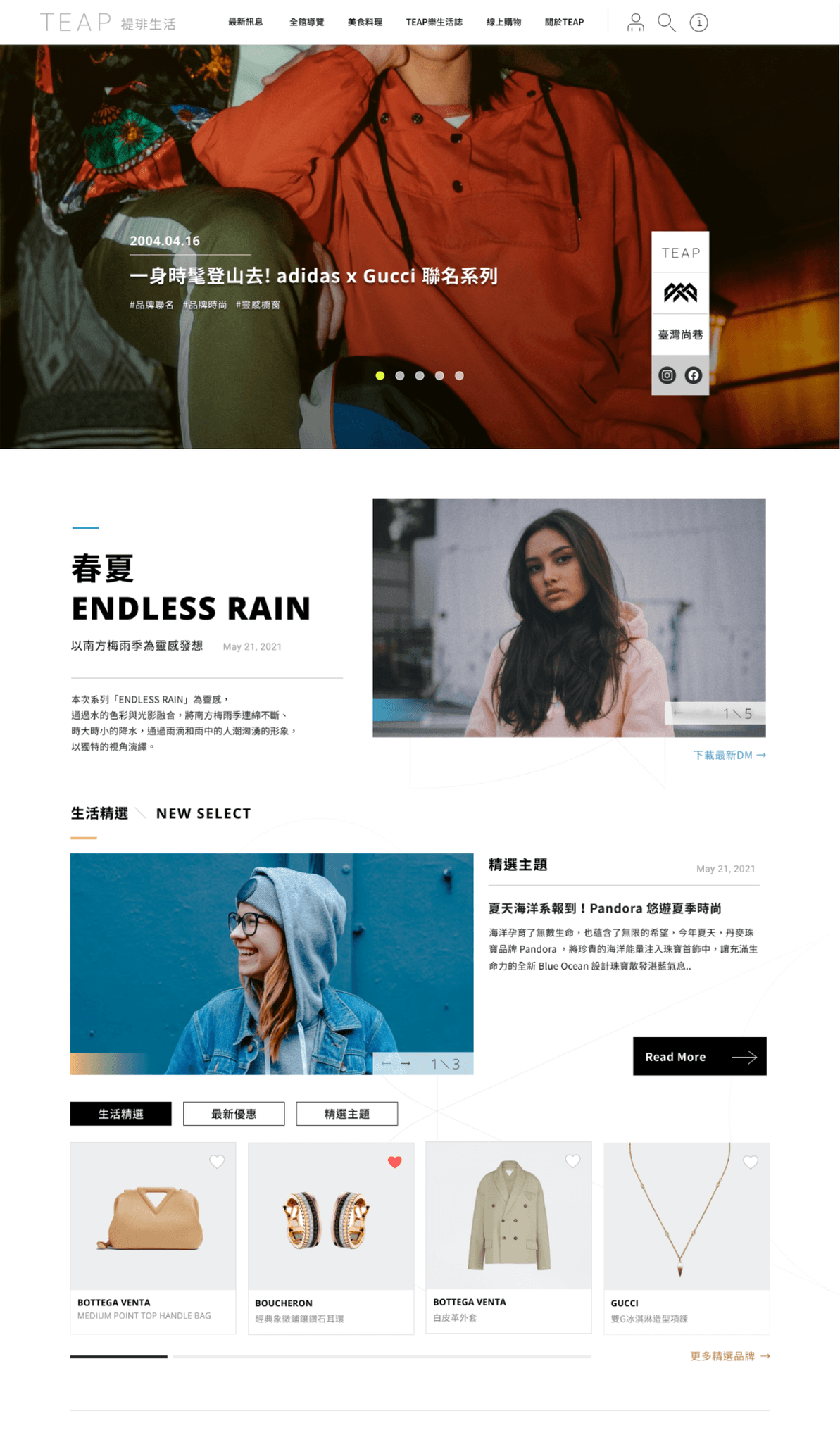
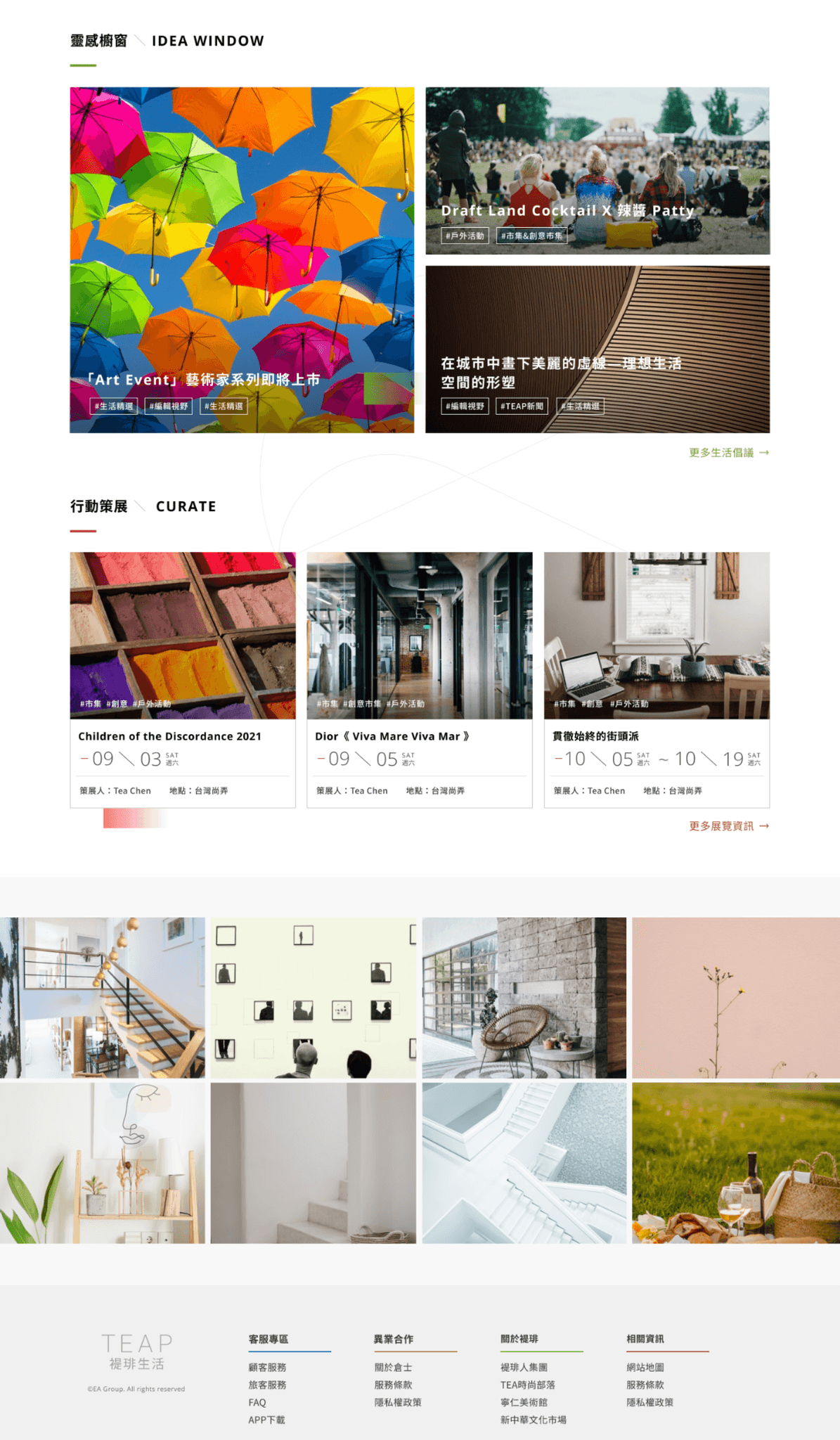
Official Website Homepage
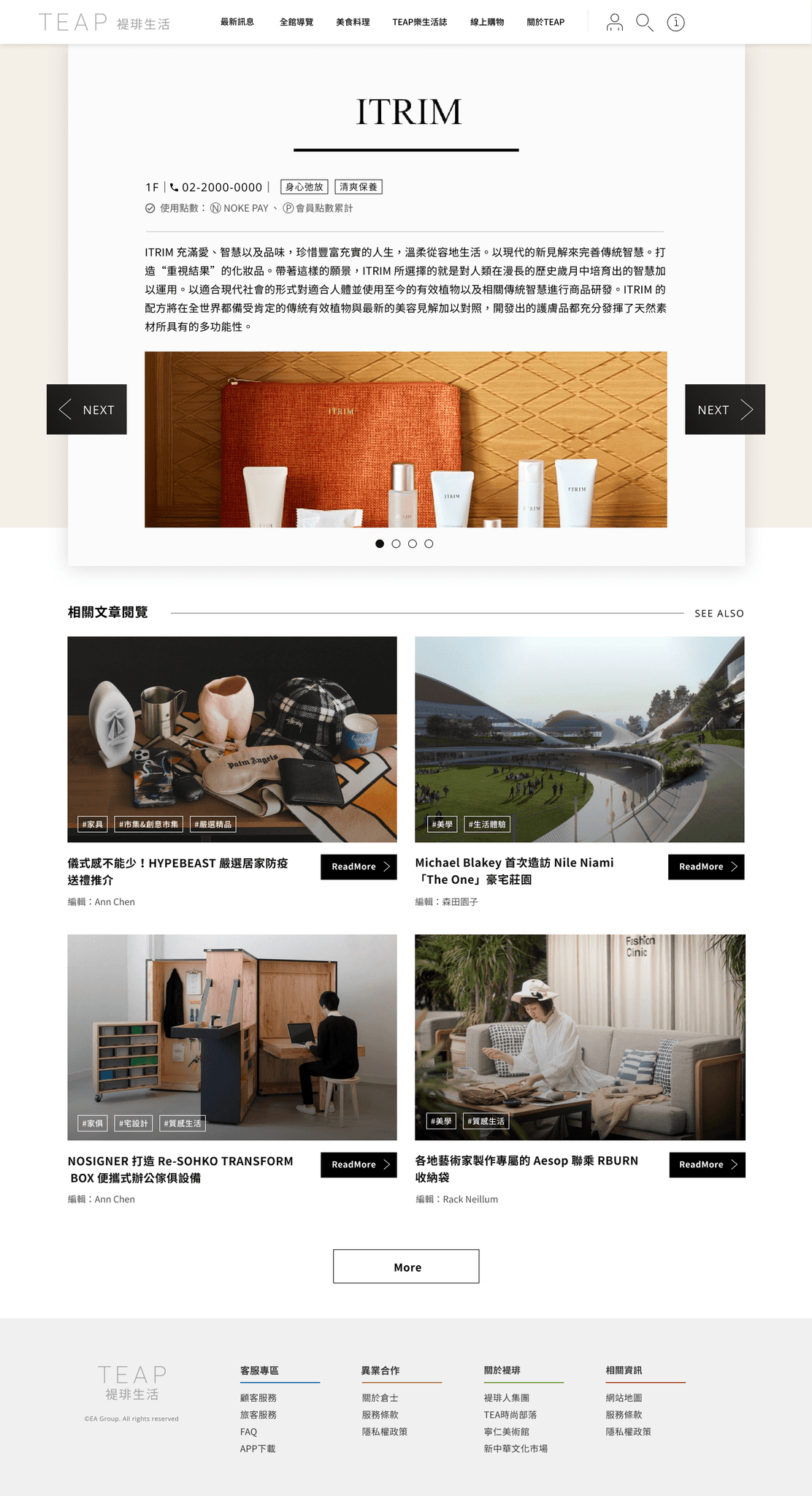
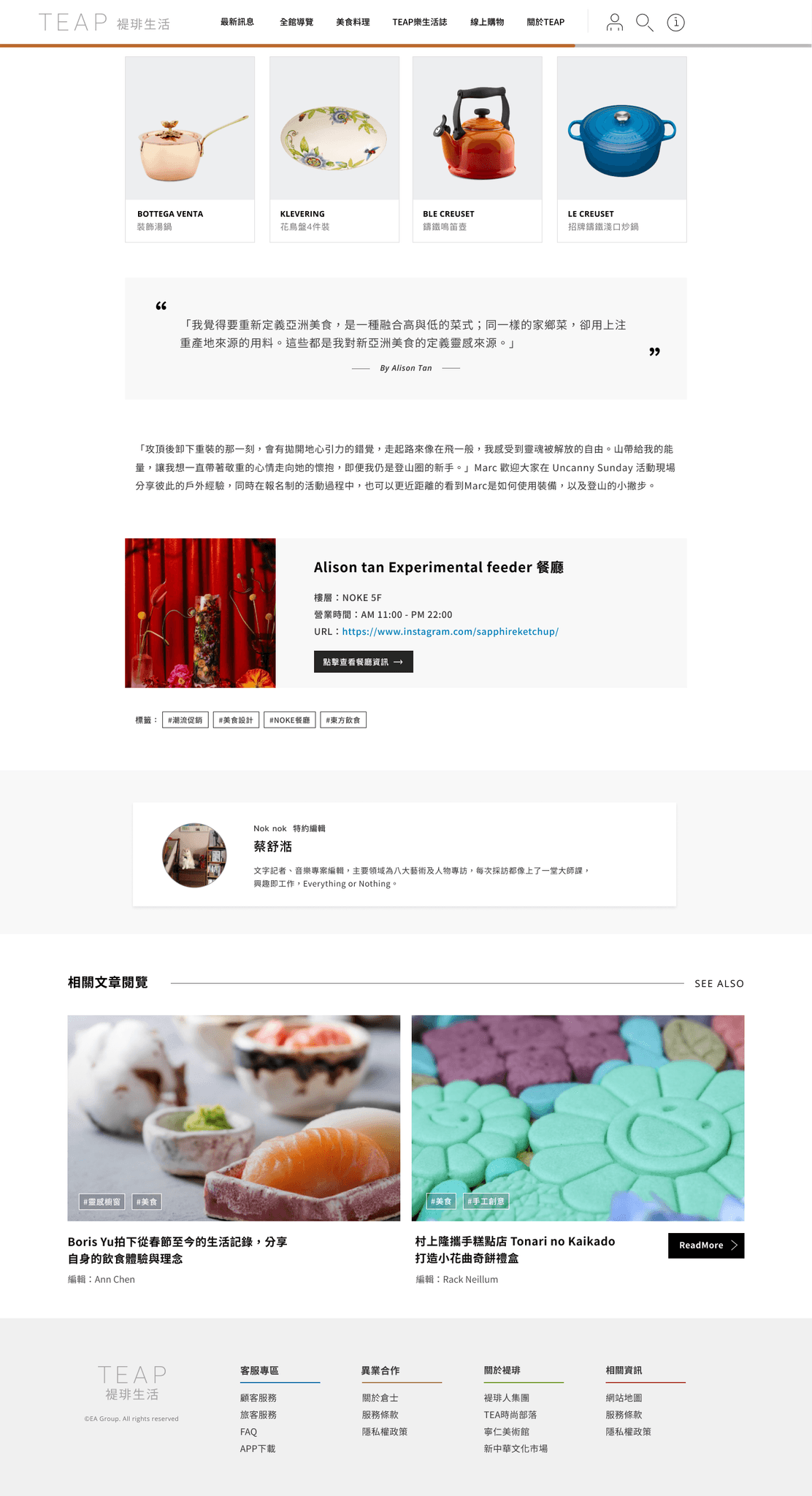
Article Page
Project Name
Formosa Plastics Group|Design System Project
Role
UI/UX Designer
Team
UI Designer ×1、PM ×2、Engineer ×1
Responsibilities
Stakeholder interviews, Component guidelines, System onboarding videos
Design Execution
At the beginning of the project, I interviewed stakeholders from different business units within Formosa Plastics Group and learned how factory staff used their internal systems in real working environments. This helped us identify common requirements across different systems.
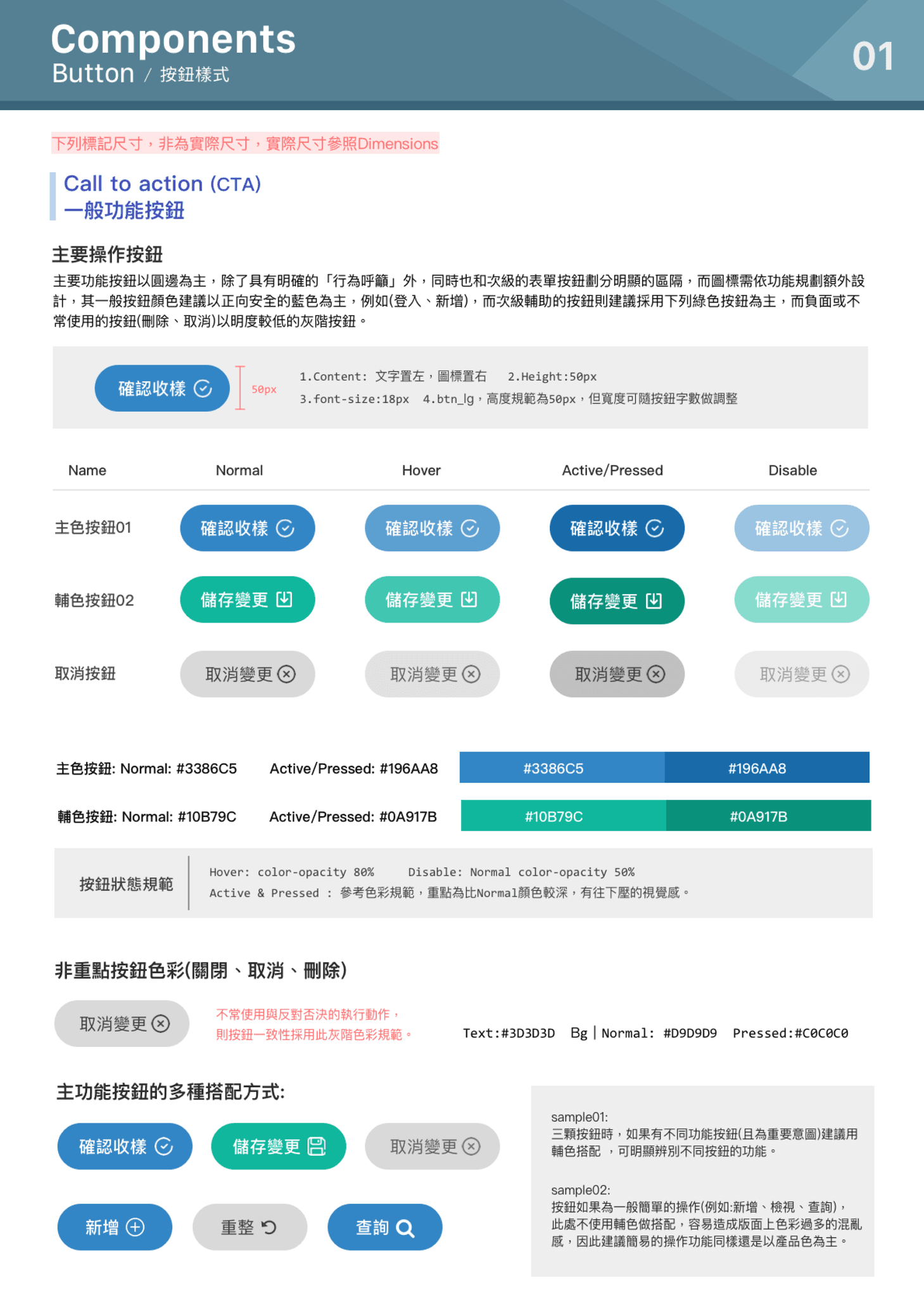
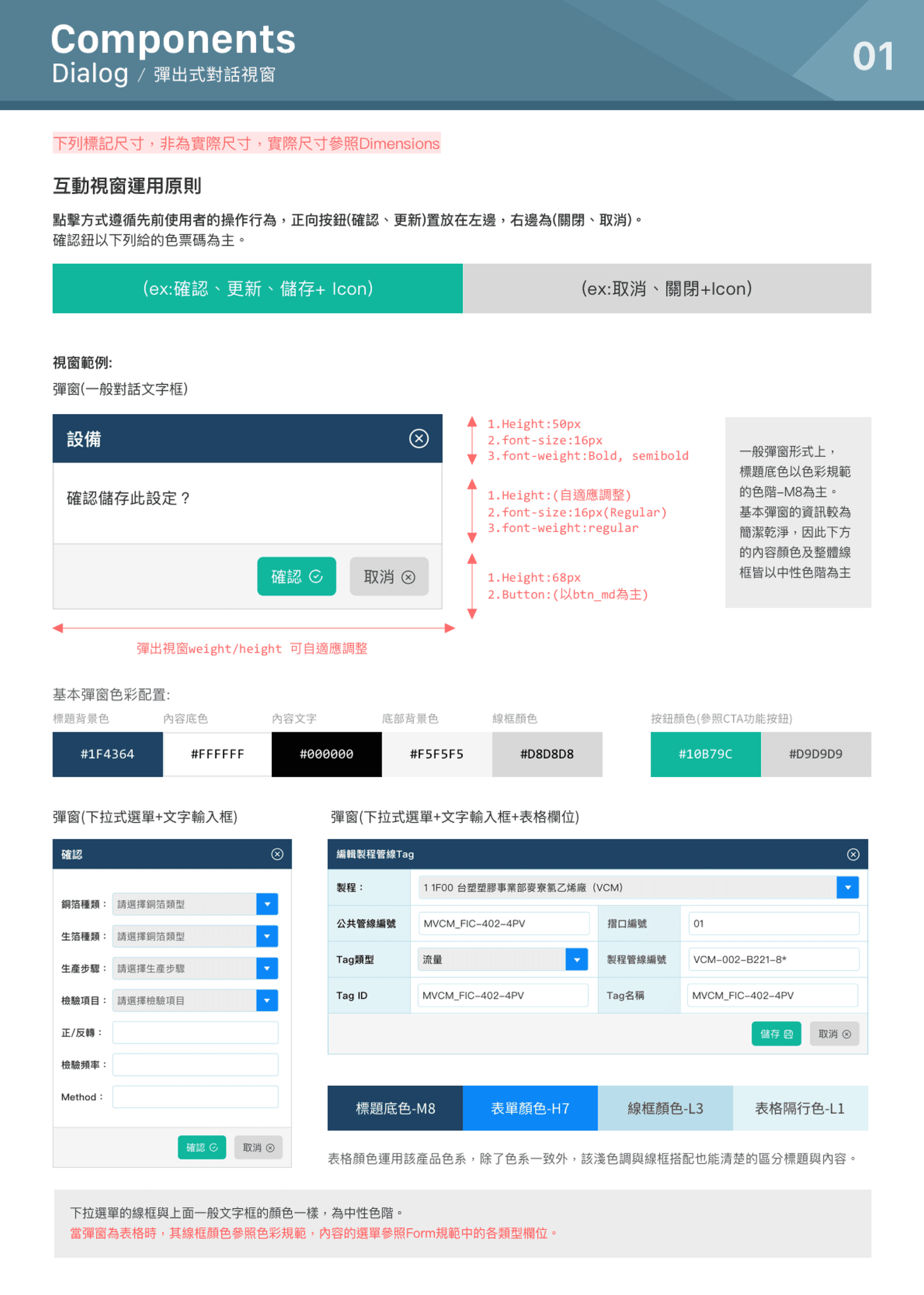
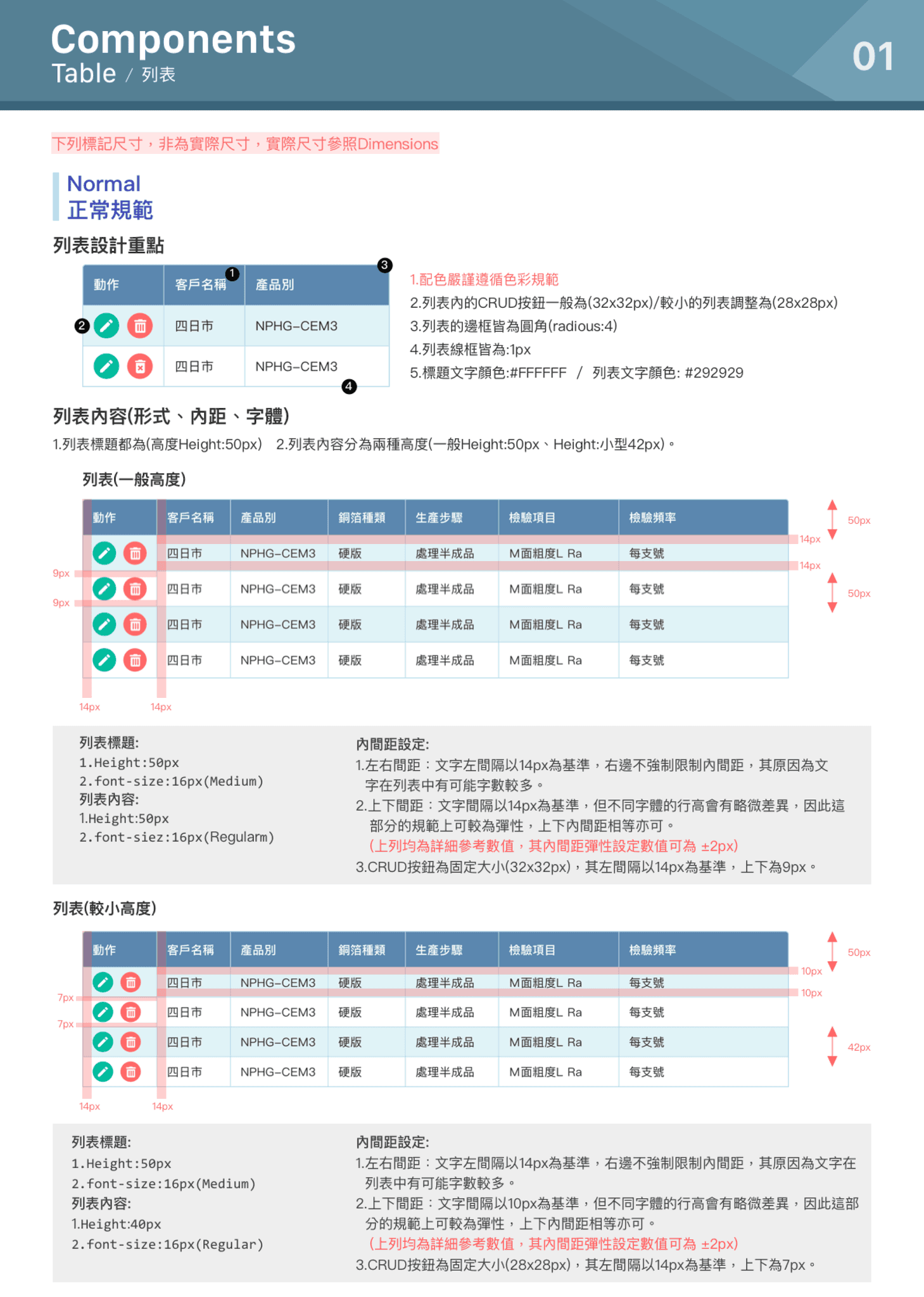
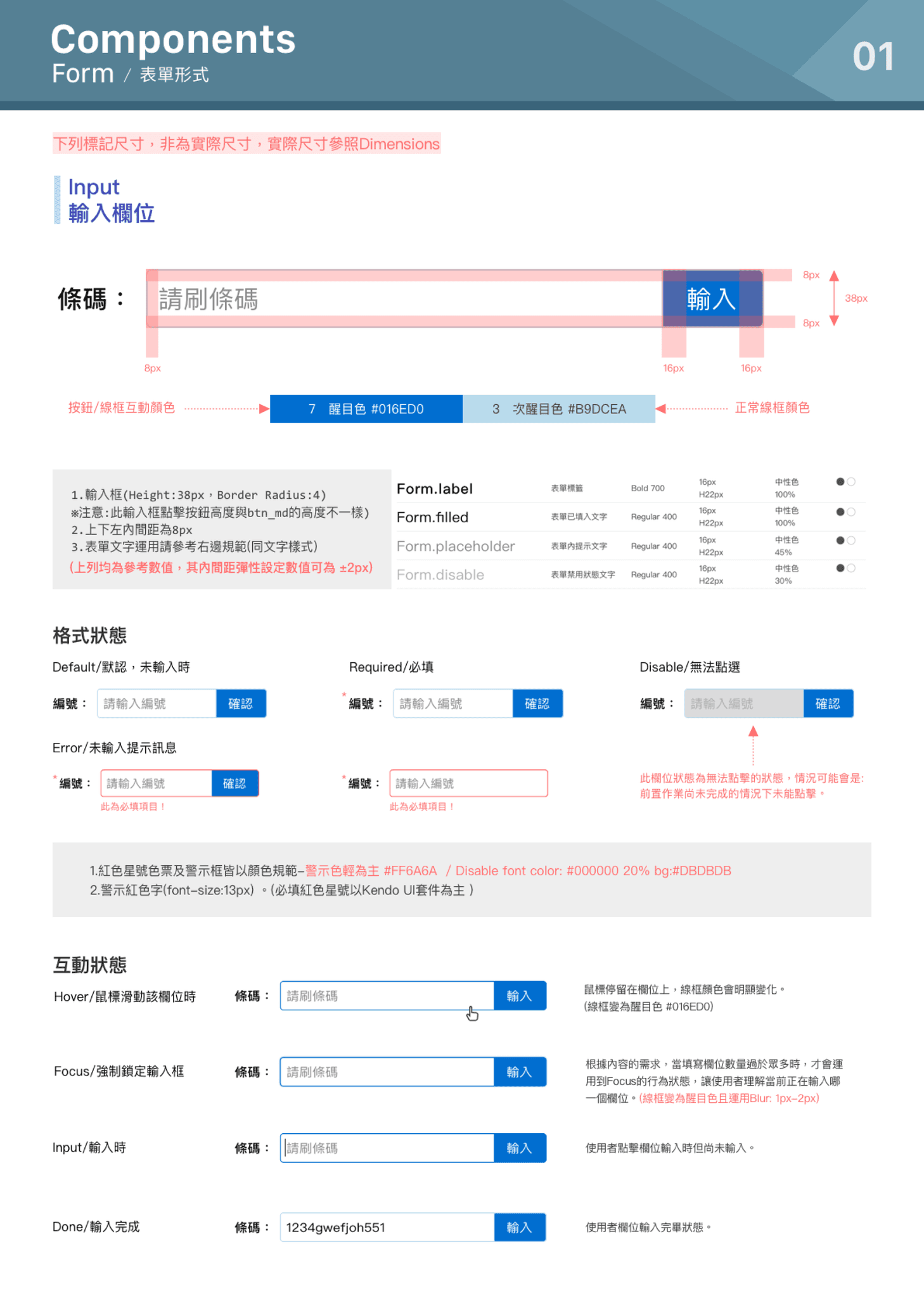
After reviewing the existing interfaces and component libraries, another UI Designer and I worked together to establish a shared design framework for the internal systems. I was mainly responsible for common Components such as Buttons, Dialogs, Search, Forms, and Tables, including their states and usage guidelines.
Because the framework needed to support multiple business units over time, we established clear standards for typography, states, interactions, and visual styles so the system could continue to scale without losing consistency. I also produced Component tutorial videos to help teams understand how the components should be used and how the design guidelines could be applied in future projects.